Upwex vs Upwork Uma: what each does, and which one you need.
Upwork Uma - also called
Upwork’s mindful AI - is Upwork’s built-in AI chatbot. It suggests jobs, answers platform
questions, and (on Freelancer Plus) gives Proposal Insights, but it does not write or submit
proposals for you. Upwex is a third-party Chrome extension and dashboard freelancers and
agencies bolt on top of Upwork to generate cover letters, auto-bid, score jobs before applying,
and measure which templates actually get replies. Looking for an Upwork Uma alternative? Here
is the honest read - where each wins, where each falls short, and which to pick.
Upwork Uma is
Upwork’s built-in AI chatbot - branded as Upwork’s mindful AI - launched
in 2024 and embedded across Upwork product surfaces (the job feed, your inbox, your
profile, the Upwork iOS and Android apps). Three things Upwork’s built-in AI does well:
answer platform questions in plain language, surface jobs that fit your profile, and (on
Freelancer Plus) flag pre-bid hints via Proposal Insights. It is bundled with your Upwork
plan - there is no separate sign-up.
What Uma does NOT do, and what most freelancers actually want from an AI on Upwork: write
the cover letter from your template, submit the proposal, score every job across 40+
fields, track which template gets replies, sync the lead to your CRM. That gap is where
third-party tools like Upwex pick up.
Side by side
13 capabilities, compared.
Same workflow, two very different tools. Check each row before you pick. Yes, No, or Partial -
with a short factual qualifier where it matters.
Capability
Upwex
Upwork Uma
Auto-bidding / autosubmit proposals
Yes12 configurable rules
Nomanual submit only
Pre-bid match score
Yesacross 40+ fields
PartialFreelancer Plus Proposal Insights
Client risk and red-flag read
Yes40+ signals analyzed
No
Per-template reply-rate analytics
Yesgreen / yellow / red per template
No
Cover letter generation
Yes<10s, your voice
NoUma does not write proposals
One-click autofill into Upwork proposal form
Yes~30 seconds end to end
Noyou write and submit by hand
CRM sync from Upwork chats
YesPipedrive (HubSpot, Salesforce, Zoho coming)
No
Team workspace with shared AI credits
YesOwner / Admin / Member, prorated
PartialAgency Plus per-seat, no shared pool
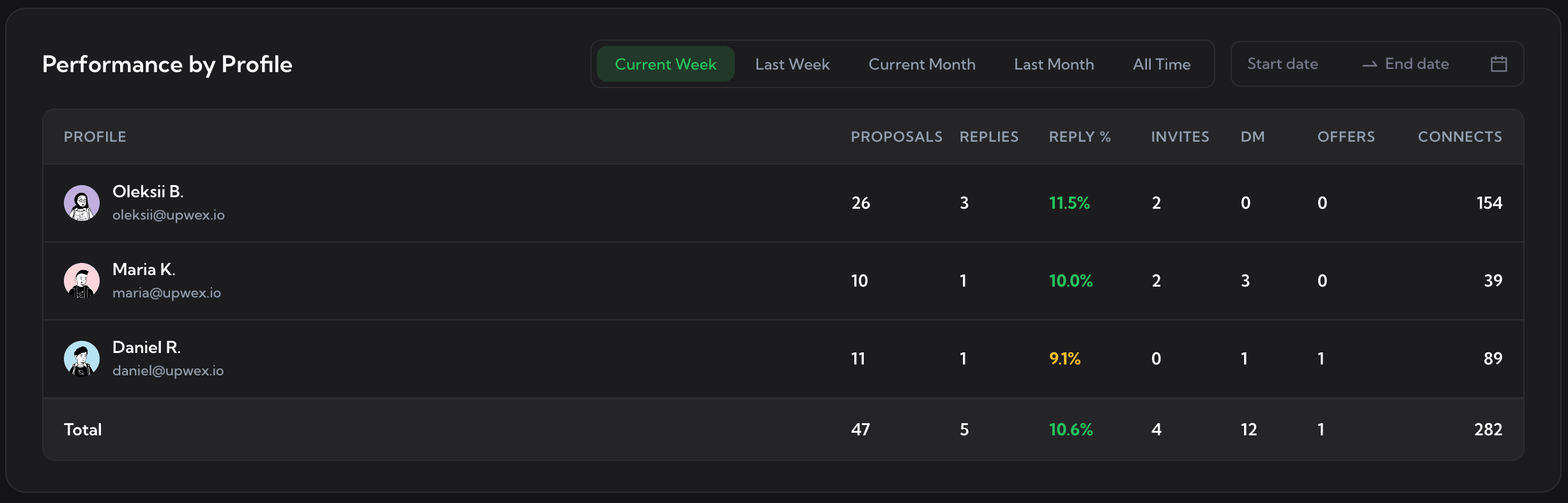
Performance-by-profile analytics
Yes6 panels, per-rep + totals
No
Profile sync from Upwork
Yesone-click pull, feeds all AI
PartialUma uses Upwork data internally
Job feed beyond Upwork’s discontinued RSS
Yesevery caught job logged
Nosuggestions only, no feed
Included in Upwork plans
Noseparate subscription
Yesbundled with Upwork
Works inside any Upwork tab
YesChrome extension over native UI
PartialUpwork product surfaces only
What Upwex adds on top
Built for Upwork - inside the tab Uma never touches.
Seven tools that live in your Upwork tab and finish what Uma starts. Auto-Bidding, Check Fit,
AI Cover Letter, Autofill, CRM Sync, Q&A, Profile Sync. Click a tab.
Auto-Bidding
Check Fit Job
AI Cover Letter
One-Click Proposal Autofill
Pipedrive CRM Sync from Chats
AI Question Answering
Profile Sync
Auto-Bidding
Set your filters once. Upwex bids while you sleep.
12 rules - match-score threshold, max bids per day, max connects per day, scan interval, active hours, hourly rate, skip fixed or hourly - and Upwex submits 24/7. Connects-aware. Pause anytime.
Check Fit Job
See if a job fits before you spend a connect.
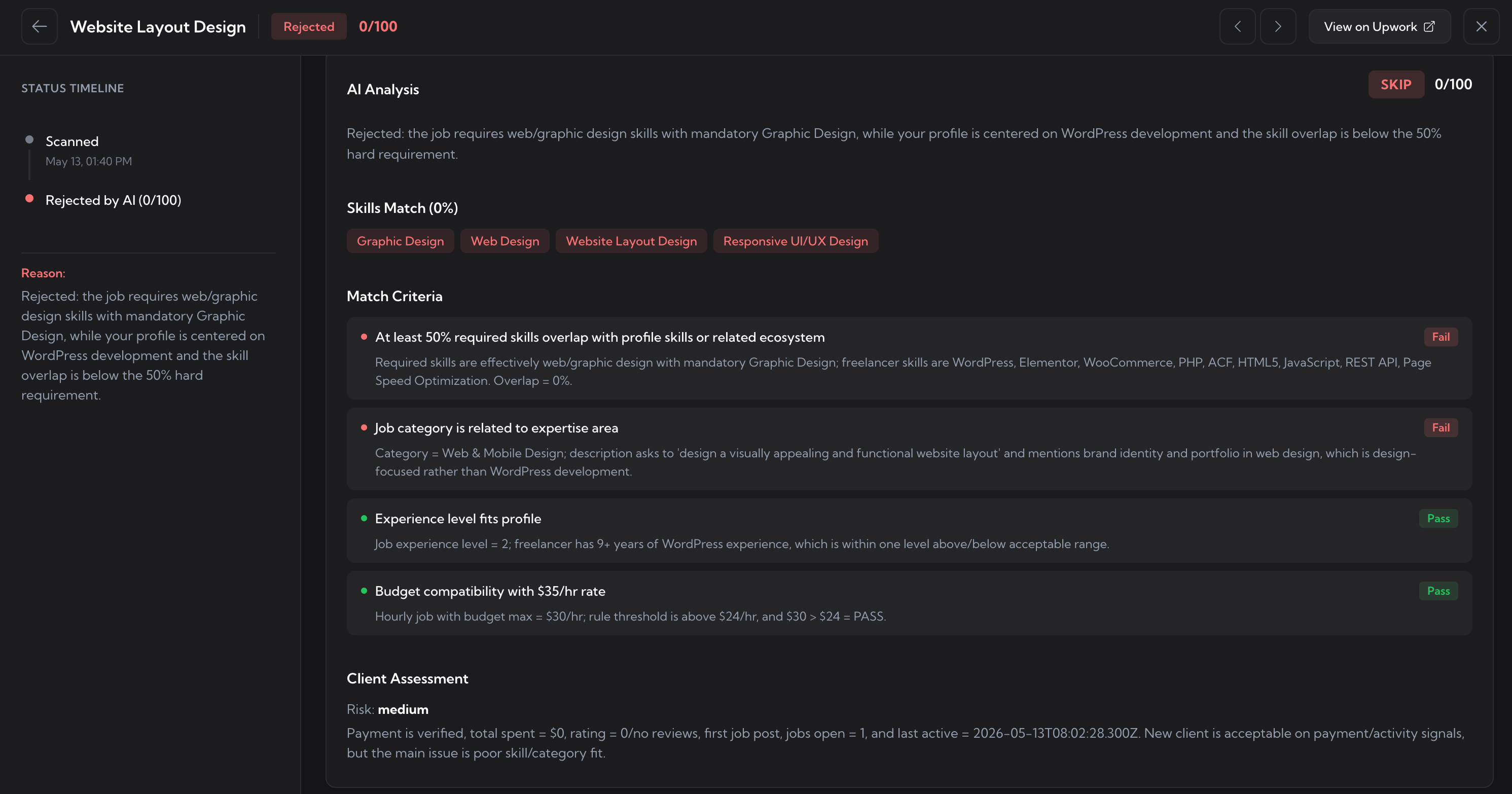
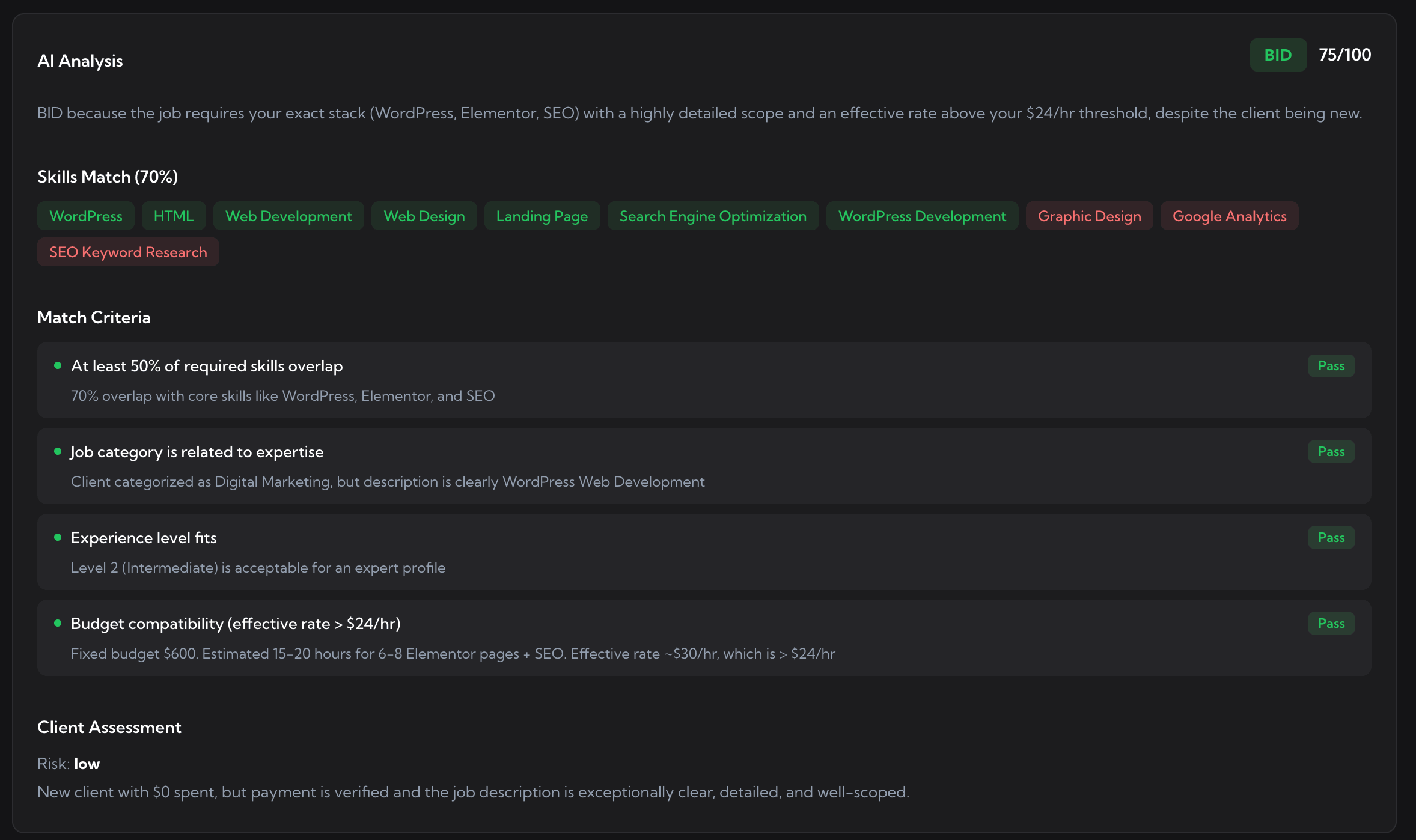
Verdict, hidden insights, your edge, and risks - all in 3 seconds, right on the job page. Save 10-24 connects on every bad-fit skip.
AI Cover Letter
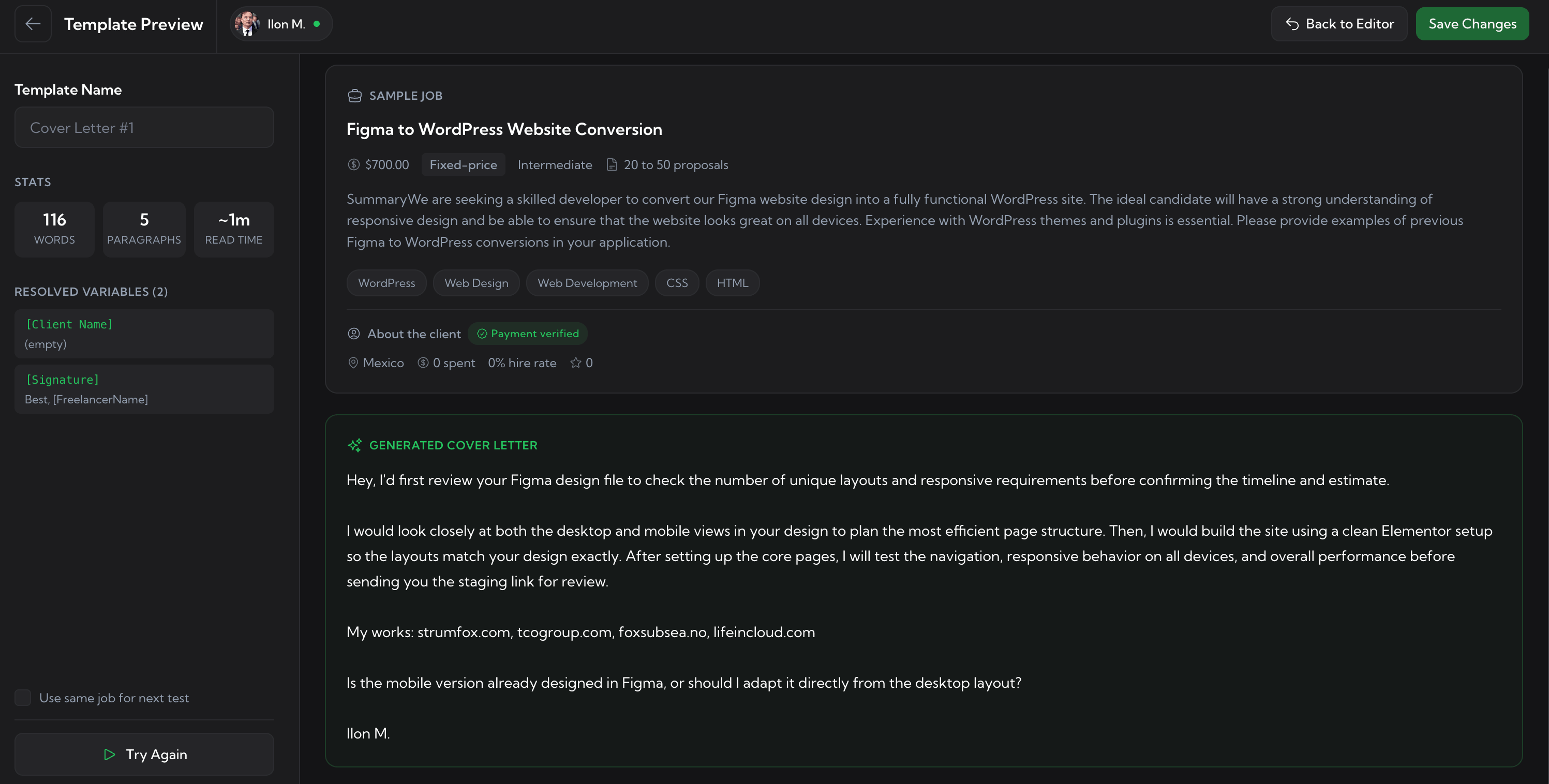
Cover letters that sound like you, in seconds.
Tuned to your past proposals and the job's tone. Generate, regenerate, drop into Upwork's proposal field with one click. Uma does not write proposals at all.
One-Click Autofill
Fill the entire proposal form with one click.
Profile, payment terms, cover letter, and screening question answers. All populated in your voice in ~30 seconds. Uma does not touch the proposal form.
Pipedrive CRM Sync
Your Upwork CRM, powered by Pipedrive.
Push every Upwork chat into Pipedrive as Deal + Lead + Contact + Org, with full history attached. HubSpot, Salesforce, and Zoho coming soon.
AI Question Answering
Answer screening questions in your voice, instantly.
When clients add "How long have you used React?" or "Have you shipped on AWS?", Upwex AI fills the answers based on your past responses and profile.
Profile Sync
Snapshot any Upwork profile in one click.
Pull job history, ratings, hire rate, earnings into your CRM as a contact. Build a database of top-rated freelancers to subcontract.
In the Dashboard
Four dashboards that finish what the extension started.
The web app at upwex.io that pairs with the Chrome extension. Cover Letter Templates,
Auto-Bidding Dashboard, Analytics & Reports, Team & Seats - none of which exist inside
Uma.
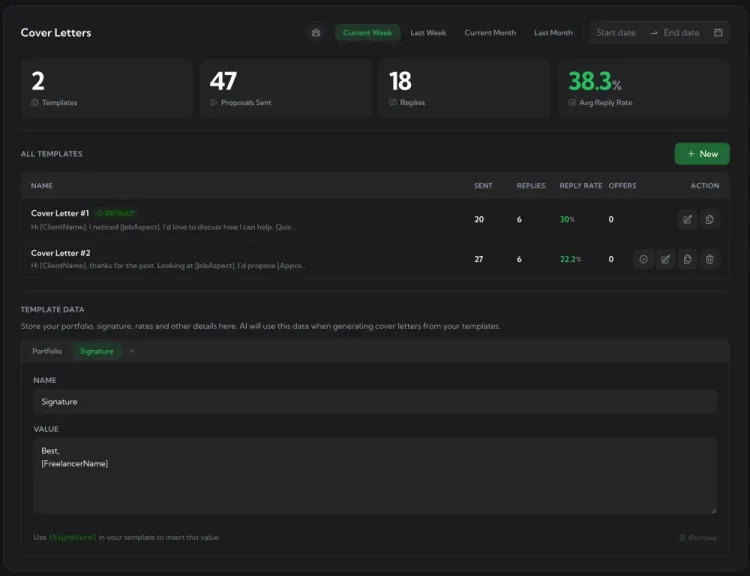
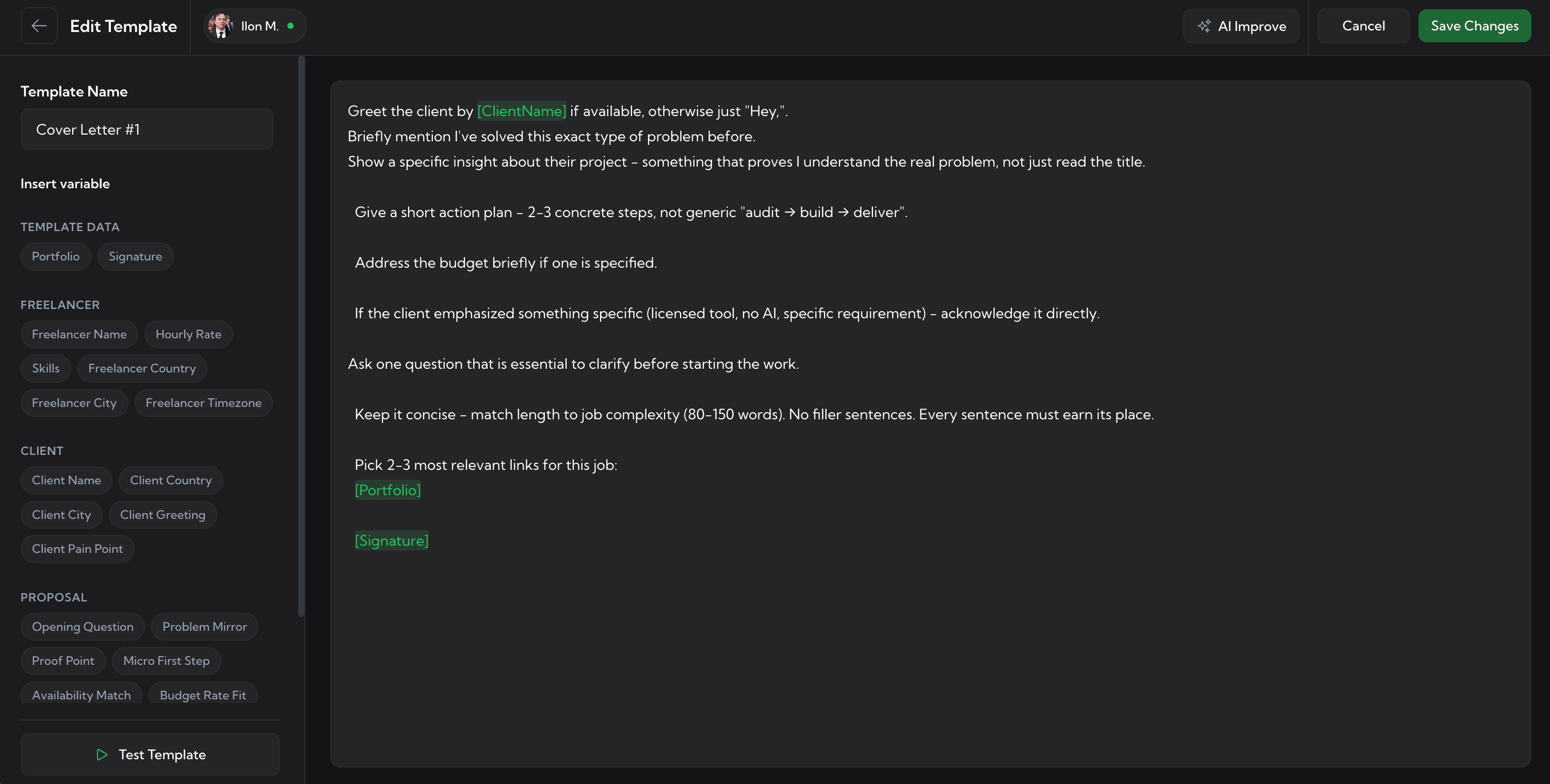
Cover Letter Templates
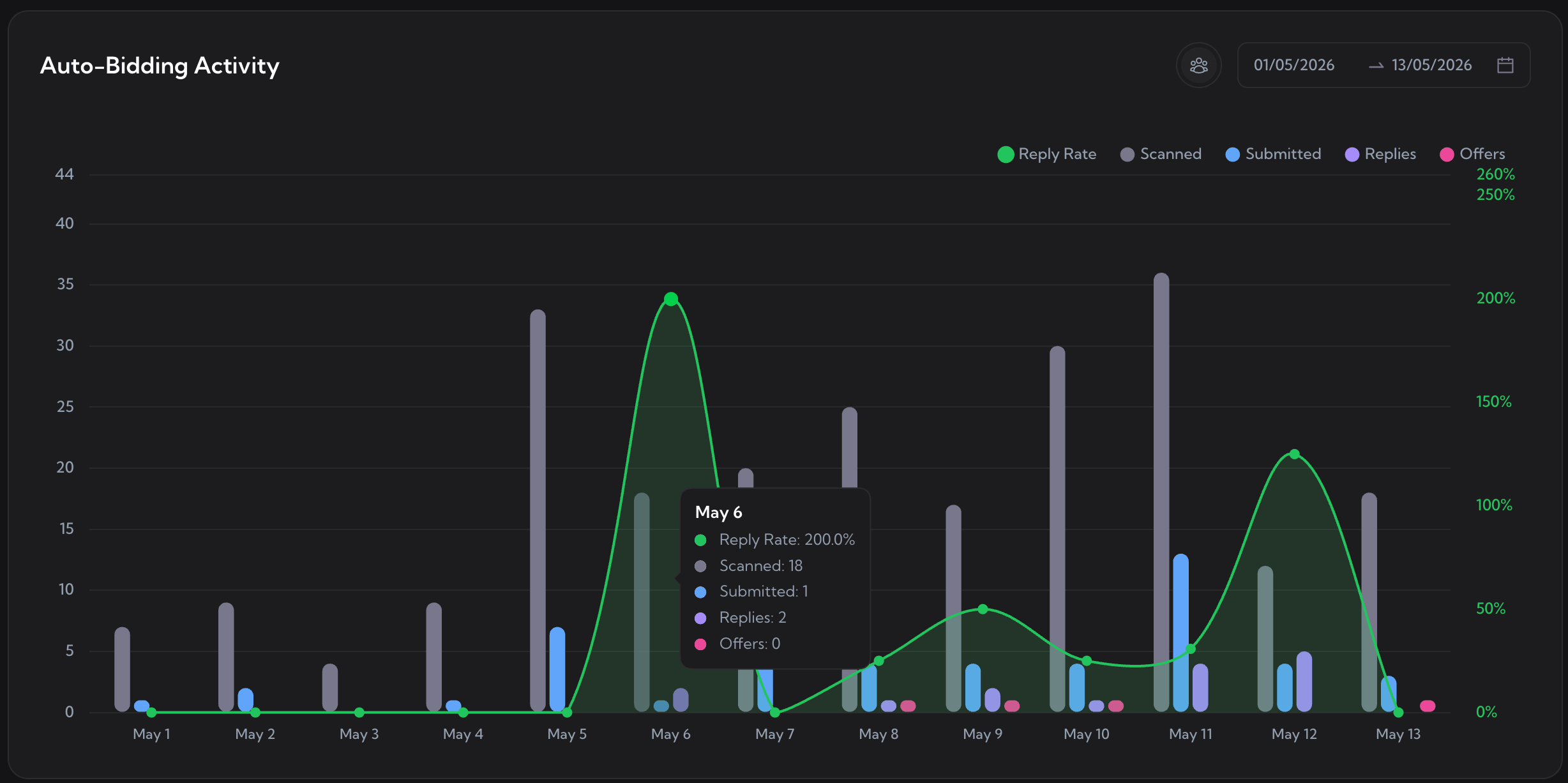
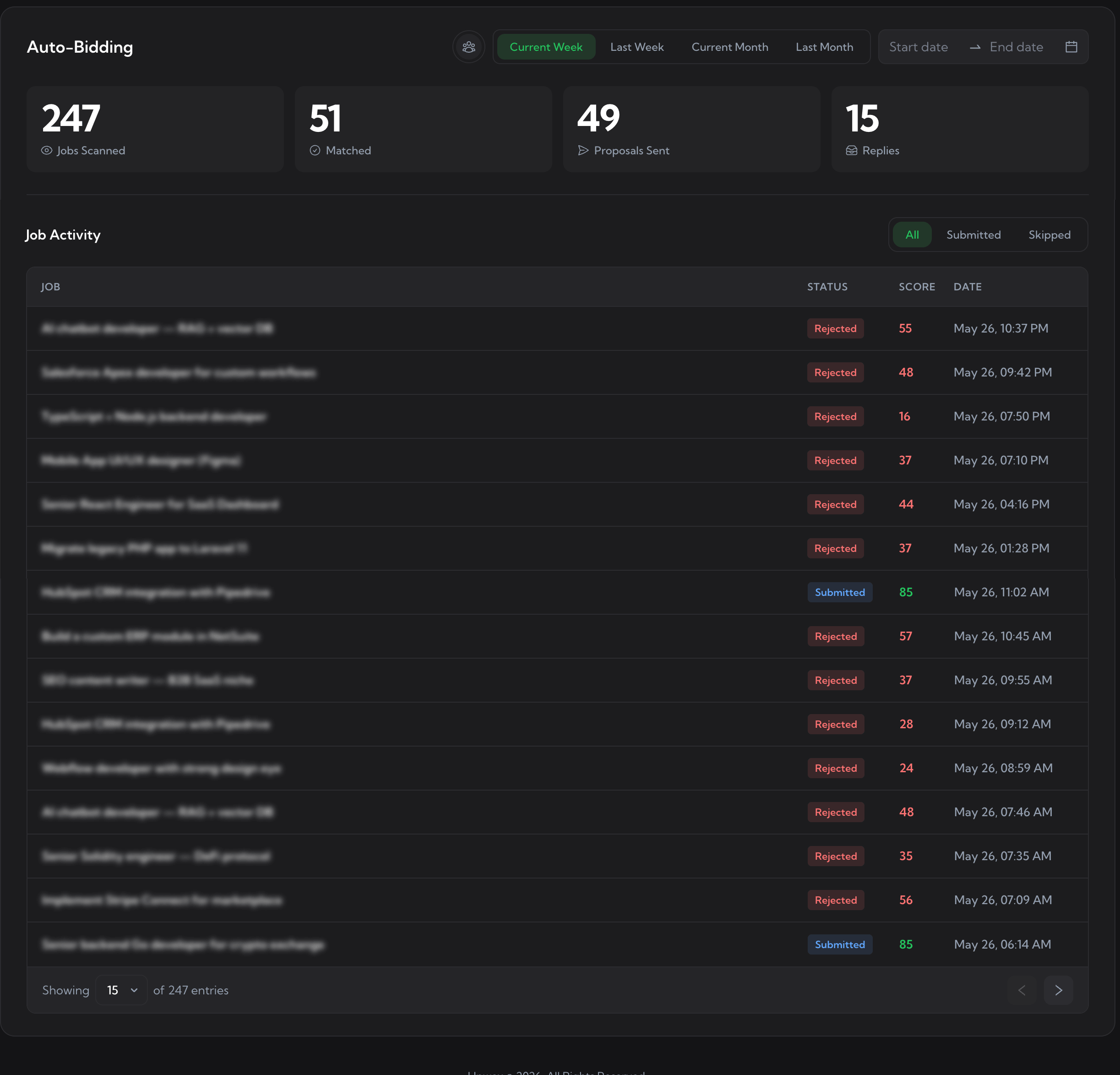
Auto-Bidding Dashboard
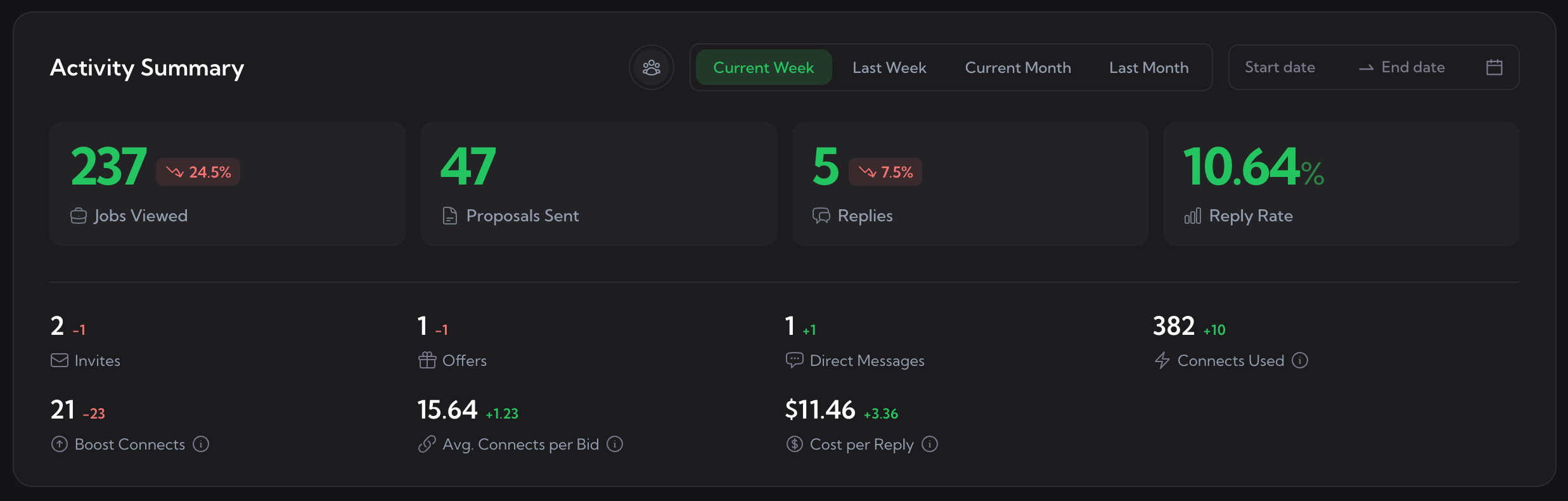
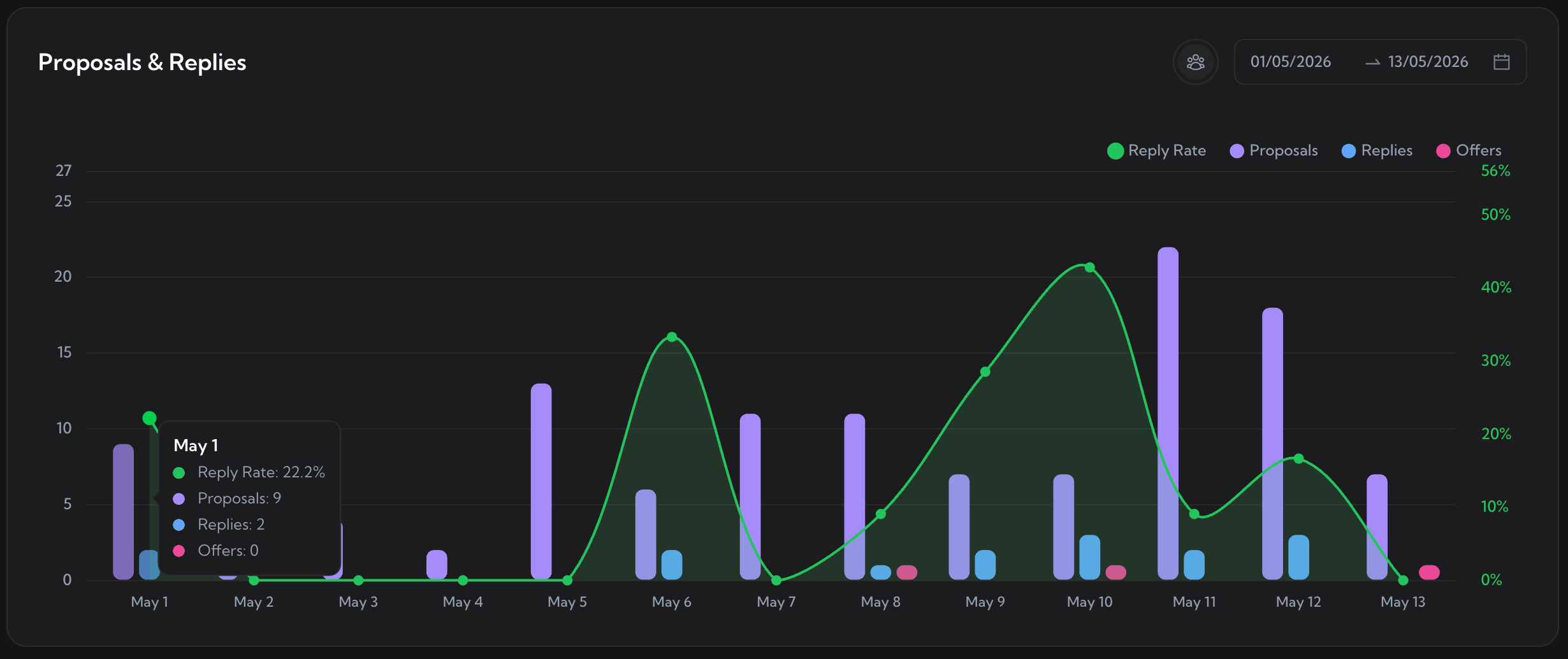
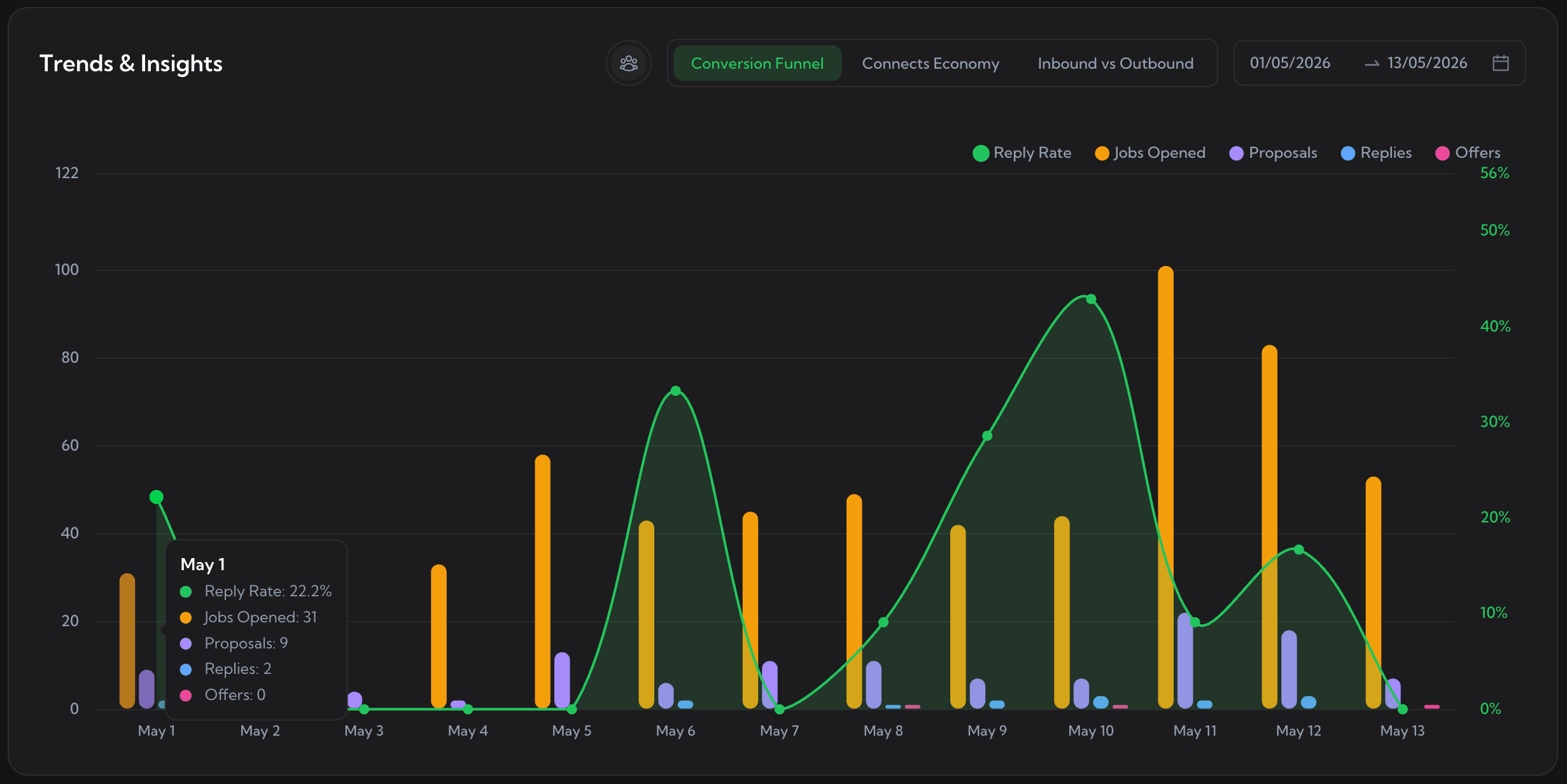
Analytics & Reports
Team & Seats
Cover Letter Templates
Manage every cover letter prompt in one place.
Run AI Improve, Generate, and Test on every template. Track reply rate per template, so you kill what does not convert.
1 / 4
Auto-Bidding Dashboard
Every scan, match, bid, and reply in one log.
Filter by date, campaign, status. See exactly which proposal Upwex sent for each job, and which ones got a reply.
1 / 4
Analytics & Reports
Six dashboards. Weekly & monthly email reports.
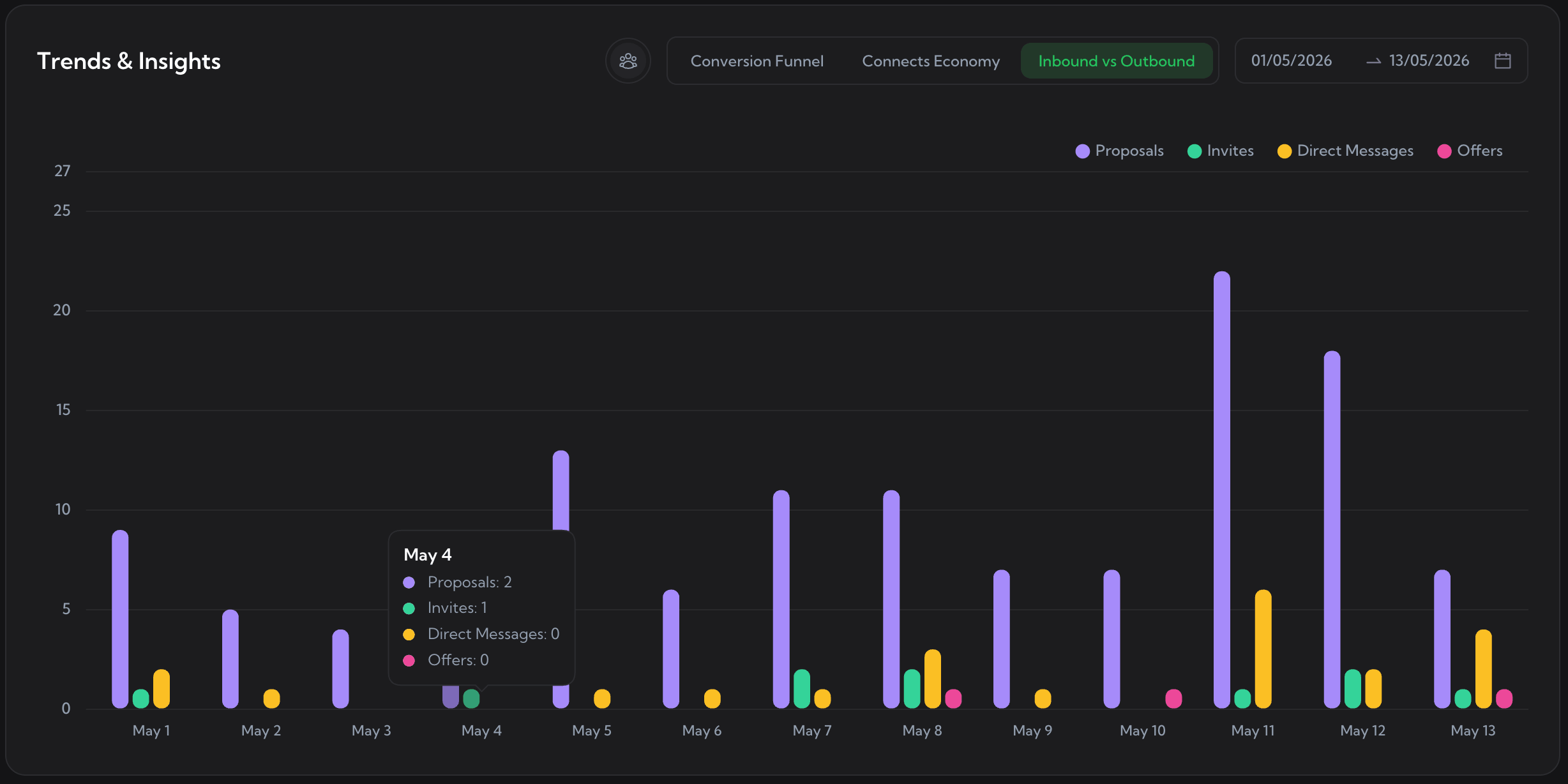
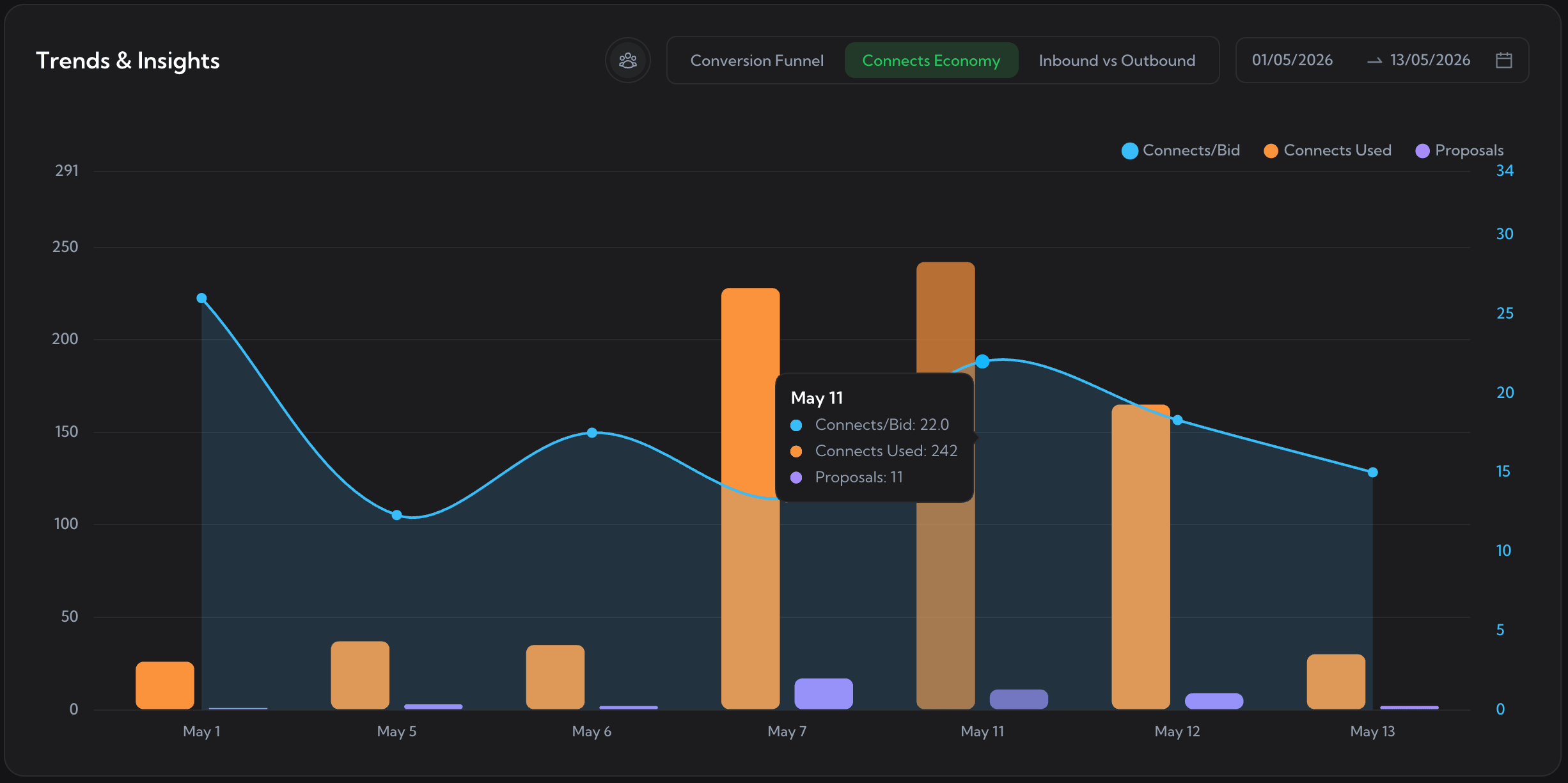
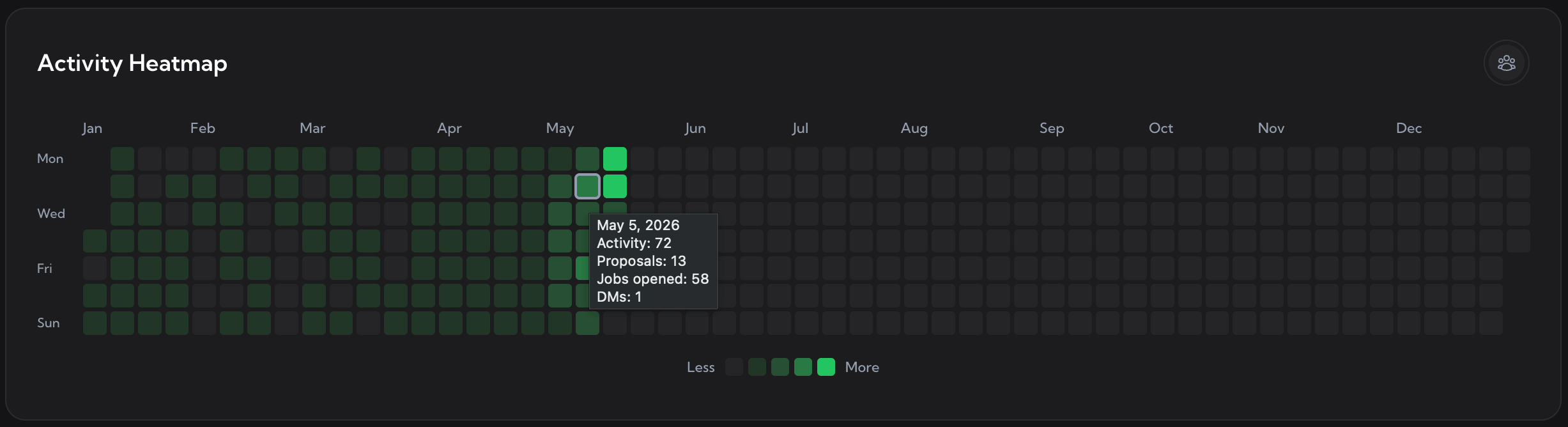
Performance by profile, trends, heatmaps, proposals. Everything you need to know what is working without opening Upwork.
1 / 7
Team & Seats
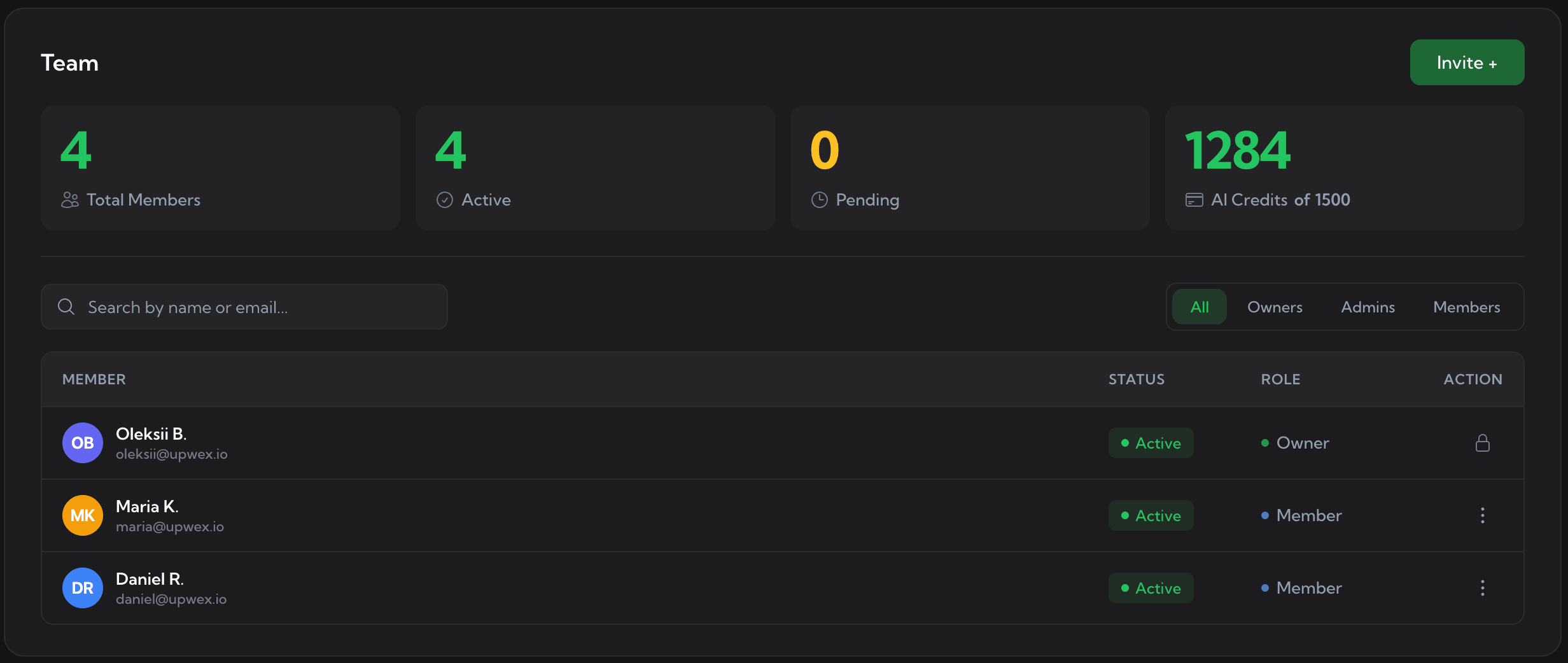
Multi-seat plans for agencies.
Owner / Admin / Member roles. Shared templates, profiles, and analytics. Per-profile reporting so you see who is bringing in work.
Buyer's guide
Which one fits your workflow.
Two honest checklists. If three lines on one side describe you, you have your answer.
Choose Upwork Uma if
You bid lightly and stay inside Upwork.
You bid <10 jobs per week and never need reply-rate data.
Connects are not your bottleneck.
You will not install a third-party Chrome extension on your Upwork session.
You bid from your phone more than from your desktop.
You already pay for Freelancer Plus and want what is bundled.
You also hire on Upwork and want Recruiter / Best Match / Instant Interviews.
Choose Upwex if
You bid often and want the operations layer.
Connects burn faster than your reply rate justifies.
You run an agency with multiple bidders sharing one pipeline.
You want to know which cover letter template actually gets replies.
You want new Upwork leads pushed to Pipedrive, not stuck in the inbox.
You want cover letters generated and bids submitted for you, not written by hand.
If you have outgrown what Upwork’s built-in AI covers - Q&A and job suggestions - you are
looking for a tool that picks up where Uma stops. The Upwork Uma alternative most freelancers
settle on is a tool that handles the proposal itself, not just the chat around it.
Cover letter generation
In your voice in seconds. Upwork’s built-in AI does not write proposals at all.
Auto-Bidding 24/7
Submit against 12 configurable rules while you sleep. Uma does not submit anything.
Pre-bid match score
GO / CAUTION / SKIP verdict across 40+ fields in 5 seconds. Uma’s Proposal Insights covers part of this on Freelancer Plus.
Per-template reply rate
Green / yellow / red badges per cover letter template. Uma does not attribute replies to any template.
CRM sync
Push every Upwork chat into Pipedrive as Deal + Lead + Contact + Org. Uma stops at the inbox.
Comparison FAQ
Common questions before you switch or stack.
What is Upwork Uma?
Upwork Uma (also called Upwork’s mindful AI) is Upwork’s built-in AI chatbot, launched in 2024 and embedded across Upwork product surfaces - the job feed, your inbox, your profile, and the mobile apps. It answers platform questions, suggests jobs that match your profile, and on Freelancer Plus gives a partial pre-bid signal called Proposal Insights. It is bundled with Upwork - there is no separate sign-up.
What can Upwork Uma do - and what is it not good for?
Upwork’s built-in AI is good at three things: answering questions about how Upwork works, surfacing job suggestions, and (on Freelancer Plus) flagging proposal-quality hints before you submit. It also helps on the hire side - Recruiter, Best Match, Instant Interviews. What it does NOT do: write cover letters for you, submit proposals, attribute replies back to a template, score every job across 40+ fields, or push leads into a CRM. Those are the gaps third-party tools fill.
Is Upwex an alternative to Upwork Uma?
Not a direct one-for-one replacement, and we do not pitch it that way. Uma is Upwork’s first-party chatbot and stays bundled with your plan. Upwex is a third-party Chrome extension and dashboard that adds an entire operations layer on top of Upwork - cover letter generation, Auto-Bidding, pre-bid match scoring across 40+ fields, per-template reply-rate analytics, and CRM sync to Pipedrive. If you have outgrown Q&A and discovery, Upwex is the natural alternative to Upwork Uma for the bidding workflow.
Can I use Upwex and Upwork Uma together?
Yes - most users do. Uma keeps running inside the Upwork tab for Q&A and discovery. Upwex layers in cover letter generation, Check Fit before you spend a connect, Auto-Bidding, per-template analytics, and CRM sync. There is no technical conflict and no account flag for running both. The standard setup: Uma for in-platform questions, Upwex for everything that touches the proposal itself.
Does Upwork’s built-in AI replace Upwex?
No. Upwork’s mindful AI is a chatbot - it writes no proposals, submits no bids, attributes no replies to any template, and integrates with no CRM. If those are your bottlenecks, Uma alone will not move them. Upwex is also third-party, so Upwork’s Terms apply - the risk is yours to accept. Upwex submits through your existing Upwork session with human-paced timing (300-3000ms between actions) and there are no documented Upwex-related account actions to date.
Is Upwork Uma free?
Uma’s core chatbot is bundled with every Upwork plan, including the free Freelancer Basic. Proposal Insights - the pre-bid quality signal - is gated to Freelancer Plus ($19.99/mo). Upwex is separate: free 7-day trial with 20 AI credits, then a flat monthly subscription on three plans - the Pro plan covers everything except Auto-Bidding, the Max plan adds it. Most users at 50+ bids/mo find the Check Fit connect savings cover both subscriptions.
What tools work like Upwork Uma but with more automation?
Tools like Upwork Uma mostly stop at Q&A and suggestions. If you want the automation layer Uma does not ship - actually writing cover letters, submitting proposals, scoring fit before you bid, tracking what wins - third-party browser extensions and dashboards are the only path today. Upwex covers all of those in one tool; narrower rivals like Pouncer (cover letters), GetMany (auto-bid), and GigRadar (alerts) focus on a single slice each.
How does Upwex compare to Upwork’s Uma AI assistant?
In one sentence: Upwork’s Uma AI assistant is a chat-based discovery and Q&A surface inside Upwork; Upwex is the third-party operations layer that writes the cover letter, submits the bid, scores the job, tracks the reply rate, and syncs the lead to your CRM. The 13-row capability table above shows it row by row.
Try Upwex alongside Uma for a week.
Keep Uma where it is. Add Upwex for Check Fit, Auto-Bidding, per-template analytics, and CRM
sync. Decide after seven days whether the second surface earns its place in your workflow.
We use cookies to make Upwex work, understand how the site is used, and - with your permission - measure marketing campaigns. See our Cookie Policy and Privacy Policy.
Cookie preferences
Choose which categories of cookies Upwex can use on this device. You can change this any time from the Cookie Preferences link in the footer.
NecessaryAlways on
Required for the site to function. Sign-in, security, and remembering your cookie choice itself.
We see which pages get visited so we can improve them. No personal data tied to your identity.
Lets us measure ad campaigns that brought you here, and (if applicable) show relevant ads elsewhere.
Remember things like dark mode and language so you don't reset them every visit.