
Job-aware, not template-pasted
Every proposal references the actual job: the scope, the client's country, their pain point, what's unclear, and your matched skills. No "Dear hiring manager, I have 10 years of experience" openers.
The Upwork cover letter generator powered by AI: one click on any Upwork job and Upwex drafts a tailored cover letter from your template, your portfolio, your hourly rate - matched to the post, the client, and your skills. See real Upwork cover letter examples below, build a template library, answer screening questions, and autofill the Upwork proposal form. Stop pasting the same opener.
Free 20 AI credits No card

Set up your templates once. Open any Upwork job. Hit Generate. The proposal lands in the Upwork form ready to send.
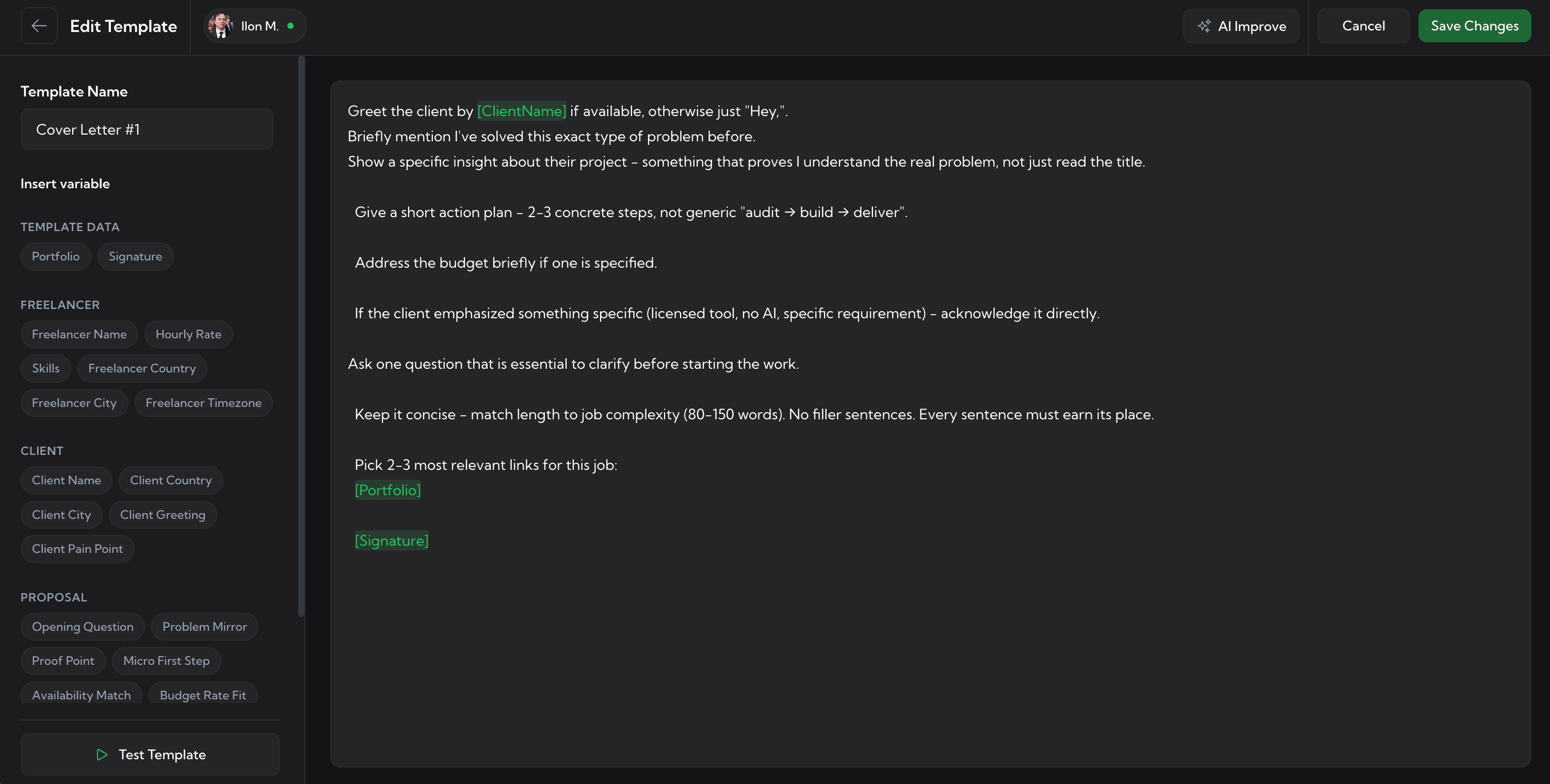
In the Upwex web dashboard you write your own prompts using variable chips - Your Name, Client Country, Job Aspect, Pain Point, My Qualifications, Greeting, and more. Start blank, build from your profile, or fork a system template.
The Upwex widget sits on every Upwork job. Choose a template, tweak it inline if you want, then hit Generate. Upwex AI reads the full posting, your profile, your portfolio, and writes the draft in your voice.
The proposal drops into Upwork's cover-letter field. Screening questions get answered from the same context. Hourly rate set. You review, edit one sentence if you want, and click Send. Done.
A generic cover letter AI - whether it's a ChatGPT cover letter generator or any other general-purpose tool - writes generic openers. Upwex writes a proposal for THIS job, with THIS client's context, in YOUR voice - and drops it into Upwork's form for you.
Every proposal references the actual job: the scope, the client's country, their pain point, what's unclear, and your matched skills. No "Dear hiring manager, I have 10 years of experience" openers.
Bring your own prompts. Build them from your Upwork profile in one click. The AI uses your phrasing, your portfolio links, your real hourly rate - not a textbook tone.
Insert [Your Name], [Client Country], [Job Aspect], [Pain Point], [My Qualifications], [Engaging Question] with one click. The AI fills them per job using real context, not Mad Libs.
The same AI engine answers Upwork's screening questions from your profile and past projects. Concrete answers tied to the job - not "Yes, I have extensive experience".
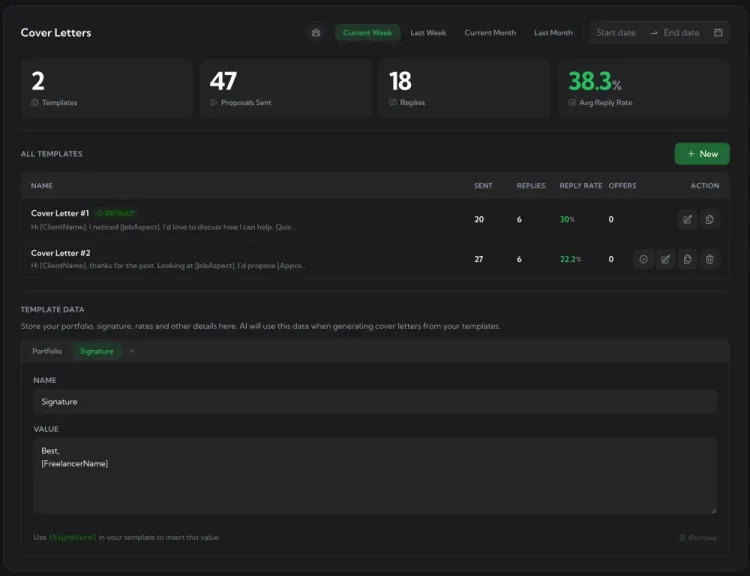
Every template shows times-used and reply rate. Keep what converts at 10%+, retire what stalls below 5%. The dashboard tells you which version of your pitch is actually working.
Got a draft you partly like? Hit Improve - the AI keeps your structure and rewrites only the weak parts. Pick a tone (direct, warm, technical), tighten the opening, sharpen the CTA.
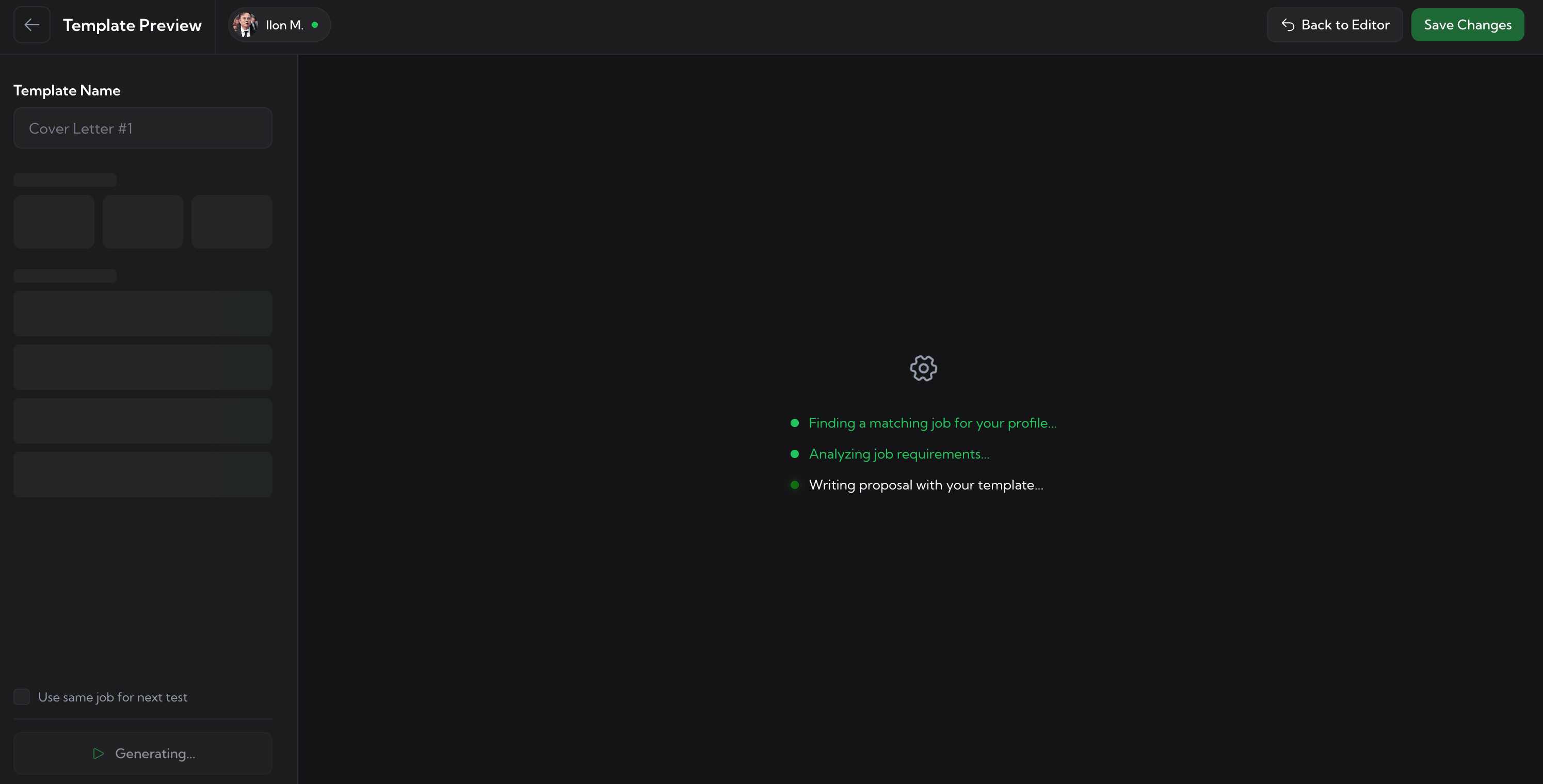
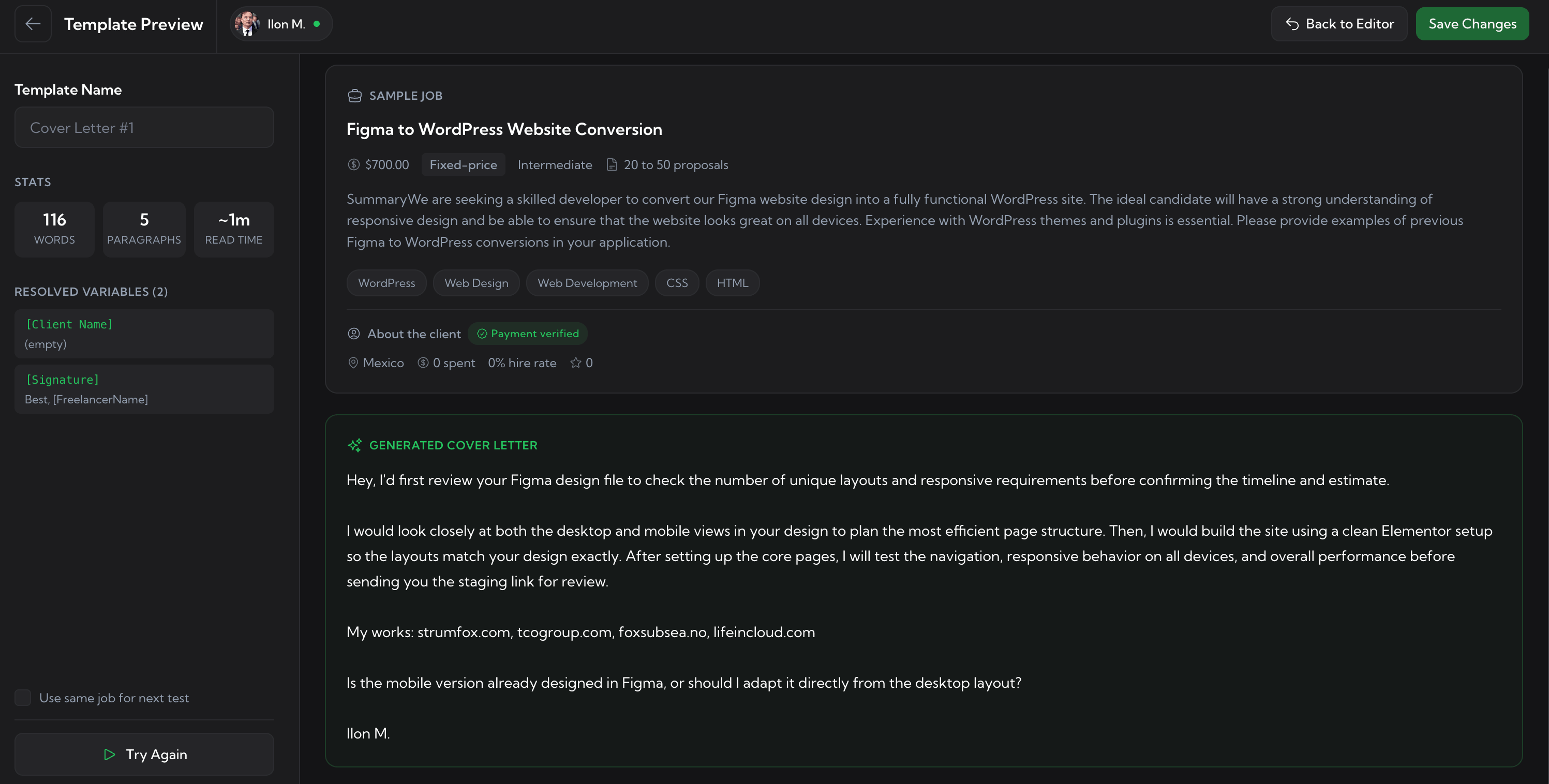
Drop any job description into the Test panel and preview what the template will produce. Fast iteration on prompts without burning AI credits on real jobs.
The proposal lands directly in Upwork's cover-letter field. Screening answers, hourly rate, and adjusted bid are filled too. No copy-paste, no jumping tabs.
Separate template libraries per Upwork freelancer profile - frontend, backend, design, whatever you bid as. Agencies can manage every member's templates from one dashboard.
Upwex follows a proposal structure proven to outperform "Hi, I've been doing this for 10 years" openers. Every section is filled with real job context - and you can edit any of it before submitting.
Your templates are the single source of truth - the same ones power your manual bids, the auto-bidder, and the dashboard preview.
Manual generate on every job
The Upwex widget appears inside every Upwork job page. Pick a template, hit Generate, review, autofill - one workflow, no copy-paste, no tab switching.
Inside Auto-Bidding 24/7 bot
When you turn on Auto-Bidding, the same templates power every submission. The bot picks the right one for each job type and runs Generate + autofill end-to-end while you sleep.
Web dashboard manage & test
The Cover Letters page in your Upwex dashboard is where you edit templates, see reply rates per template, run Improve to refine a draft, and Test against a sample job before you go live.
Three real Upwork cover letter examples below - different job types, same structure. Each block works as an Upwork cover letter sample for that niche - and as an Upwork proposal sample too, since both follow the same shape. Copy the structure, not the wording. Looking for an example of cover letter for Upwork in your stack? Upwex generates these cover letter examples for Upwork on demand, tailored to your profile in under 10 seconds.
Hi Mickey, before rebuilding the dashboard, should the new version keep the same user flows exactly, or are you open to improving the UX around filters, tables, and data views?
React + TypeScript dashboard rebuilds usually get messy when UI components, API calls, filters, and table/chart state are all coupled. I rebuilt a similar admin for a fintech client last quarter - 50k-row table, role-based filters - by decoupling the data layer first and refactoring components one screen at a time. Same shape as what you're describing.
I'd start by reviewing the current dashboard flow and rebuilding one core screen first so we can lock the component pattern before scaling it across the rest.
My rate is $45/hr - happy to discuss the current architecture before estimating the full rebuild.
Cheers,
John
Hi there, I'd first review the Figma file and confirm how many unique sections need to be redesigned before giving you a proper estimate.
I'd check the current landing page structure - desktop/mobile layouts, spacing, typography, CTA blocks, forms and interactive elements that need to stay. After that, I'd separate what should be improved directly in the design from what needs adjustment during WordPress/Elementor implementation. Once the layout is clear, I can redesign the page cleanly and keep it practical for development.
Could you share the Figma file and the current landing page URL so I can scope it properly? Happy to discuss pricing once the section count is locked.
Cheers,
John
Hey Tom, that's where I'd focus first - not just word count, but angle. I'd review the product, target reader, keyword, and 2-3 competing posts, then build an outline around the actual pain behind the search. After that, I'd write the article with clear sections, practical examples, internal linking ideas, and a CTA that feels natural instead of forced.
For SaaS, I'd usually decide early whether the post is meant to drive organic traffic, support sales conversations, or educate users - each one needs a different structure.
Do you already have the target keyword and product angle, or should I help shape that first?
Cheers,
Paul
Same approach for any Upwork proposal example you need - dev, design, copy, data, ops, ML. Upwex generates this exact structure (proof of reading + concrete proof point + first step + sign-off) for every job you open, in your voice.
The proposals that get replies all share the same shape. If you're asking how to write an Upwork cover letter that actually converts, the answer is structure: four blocks, ~120-220 words, written in your own voice. Upwex AI fills each block automatically from the job context and your synced profile - you can also use this as a checklist when writing manually.
1. Open with proof you read the post
One sentence that names a specific detail from the job. Skip "Dear Hiring Manager" - the client already knows you didn't actually open the post if you start there. Reference the slow query, the broken signup flow, the wrong-feeling tone of voice - whatever they actually flagged.
2. Give one concrete proof point
A similar past project, a specific stack, a relevant result. Not your full bio - one targeted proof of the matching skill. "I built X for Y client" reads stronger than "I have 8 years of experience in...".
3. Suggest a concrete first step
"My first deliverable would be X" makes the client picture working with you. Vague enthusiasm doesn't. The freelancer who proposes a specific step wins the reply.
4. Short sign-off + rate context
Your name, hourly rate or fixed-price range, availability. One line. Don't pad with "Looking forward to hearing from you" - close clean.
The generator never starts from a blank page. It writes from your saved cover letter template library - build it once, set a default, and every proposal the AI writes stays in your voice across every Upwork job.
Build your templates once. Generate a tailored proposal in seconds on every Upwork job. Track which version wins replies. Send better bids in less time.
No credit card required. Cancel anytime.
We use cookies to make Upwex work, understand how the site is used, and - with your permission - measure marketing campaigns. See our Cookie Policy and Privacy Policy.
Choose which categories of cookies Upwex can use on this device. You can change this any time from the Cookie Preferences link in the footer.
Required for the site to function. Sign-in, security, and remembering your cookie choice itself.
We see which pages get visited so we can improve them. No personal data tied to your identity.
Lets us measure ad campaigns that brought you here, and (if applicable) show relevant ads elsewhere.
Remember things like dark mode and language so you don't reset them every visit.