
Build a template once, every rep uses it.
Templates live in the shared workspace with bracket-highlighted placeholders, per-template reply rate, and per-niche variants. Set the winning one as default and every rep starts from it.
Running an Upwork agency means juggling ten freelancers under one reputation, one connect budget, and one client-facing brand. Upwex pulls every rep into one workspace, shows you who is converting and who is burning connects, and lets the bot bid under each rep with hard caps you control. One subscription, one invoice, every member measured.
Free 7-day trial Pooled AI credits No credit card
Bidding alone? See Upwex for Solo Freelancers
Performance by Profile breaks proposals, replies, reply rate, invites, DMs, offers, and connects down per Upwork profile and per member, with a totals row across the agency. Reply rate is colour-coded - green above 10%, yellow 5-10%, red below - so the strong and weak reps are obvious at a glance. No more guessing who is closing.
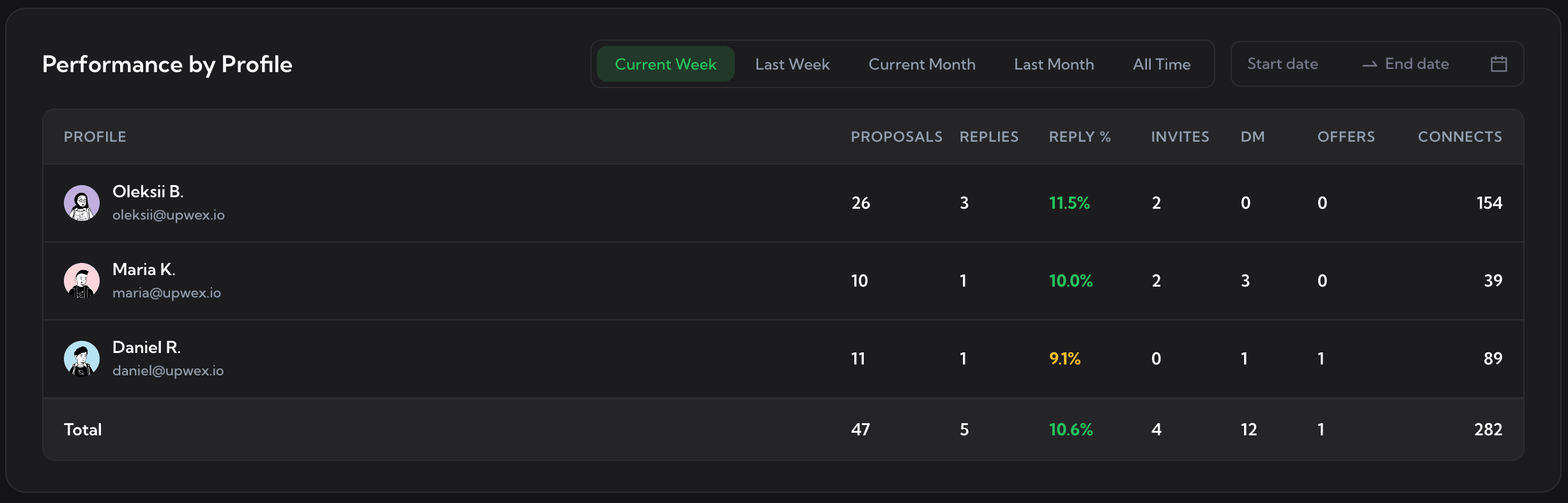
Performance by Profile. See the analytics dashboard.
Visibility only works if every rep is in the same workspace. The Team page is that workspace: total members, active members, pending invites, and your shared AI credit pool on top; a searchable member list below with status and role. Owner runs billing and cannot be removed; Admins manage day to day; Members bid under their own Upwork profile. One Stripe subscription, prorated seats, no per-rep accounting.
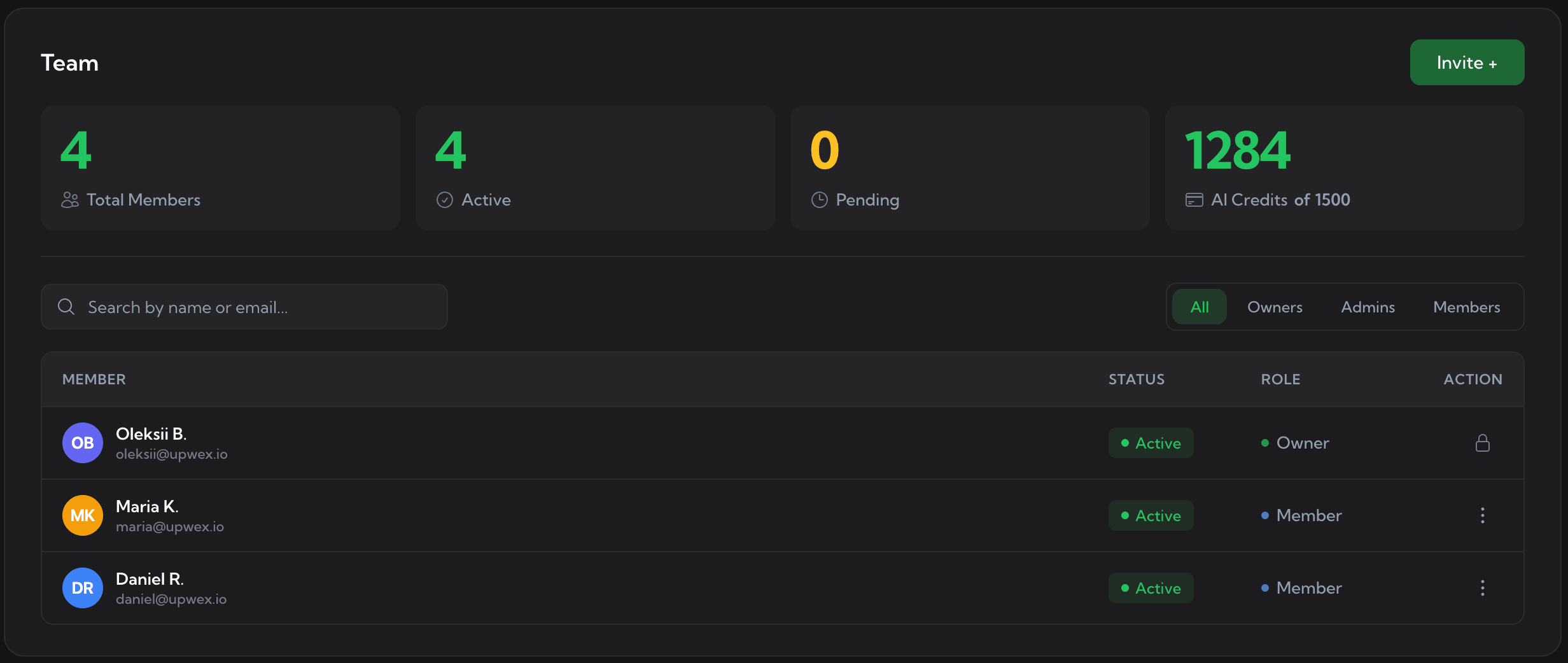
The Team page. See Team & Seats for the role mechanics, invite flow, and seat billing.
"Ten reps, ten voices" is the agency tax on growth. Build your cover letter templates once and share them across the team. Every rep, plus Auto-Bidding, writes from the same library; the AI Cover Letter Generator fills the per-job variables from each rep synced profile. The structure stays consistent, the personal voice stays per-rep, your agency reads like one brand.
Templates live in the shared workspace with bracket-highlighted placeholders, per-template reply rate, and per-niche variants. Set the winning one as default and every rep starts from it.
On any Upwork job, the AI Cover Letter Generator fills the shared template using the rep synced profile (skills, portfolio, rate). Same structure across the agency, real per-rep voice on the variables.
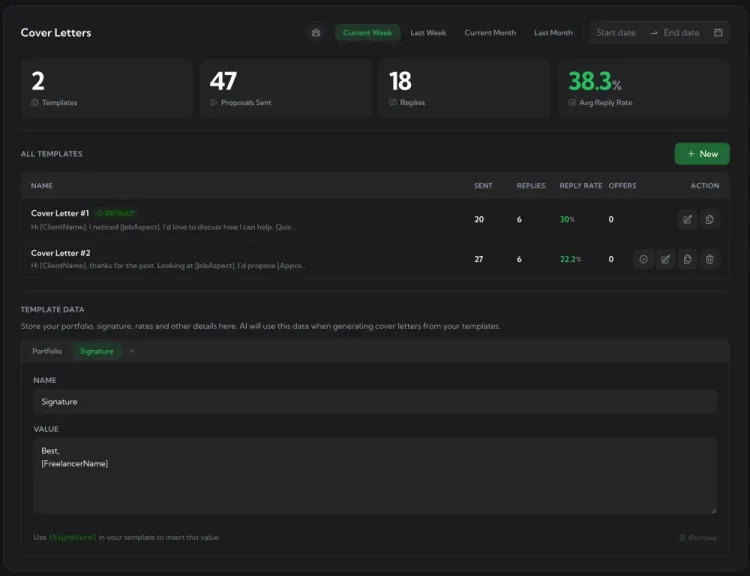
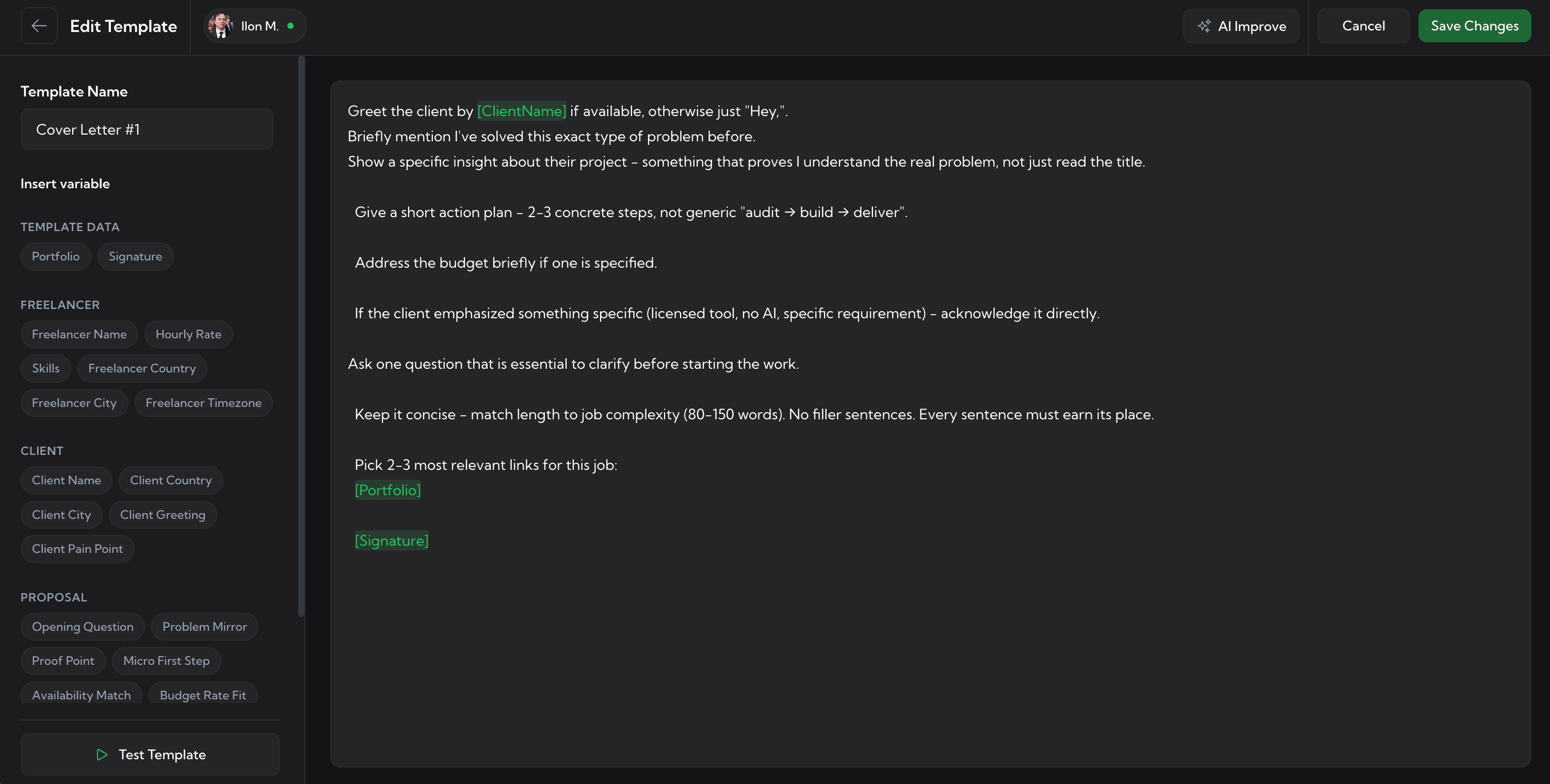
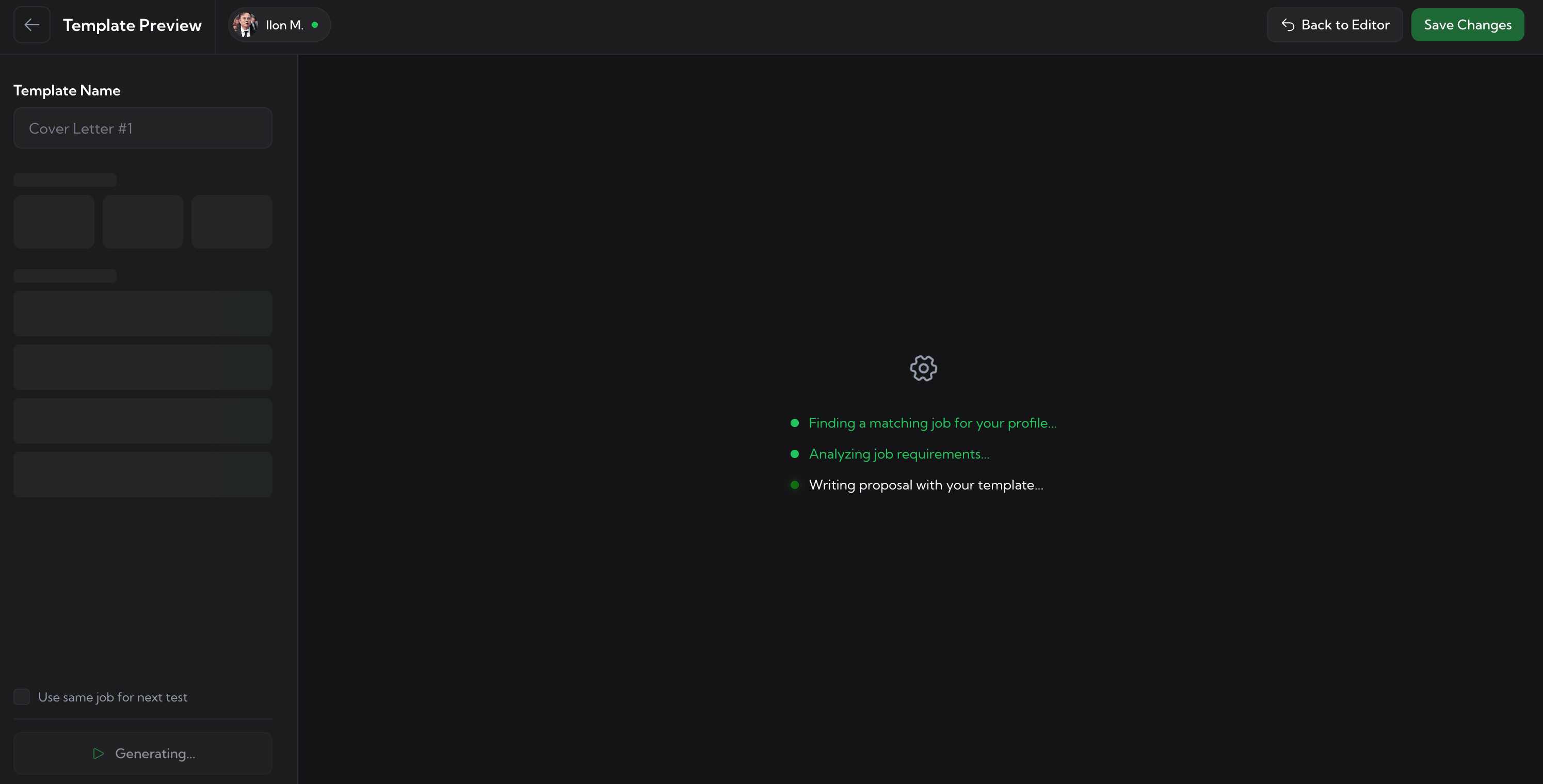
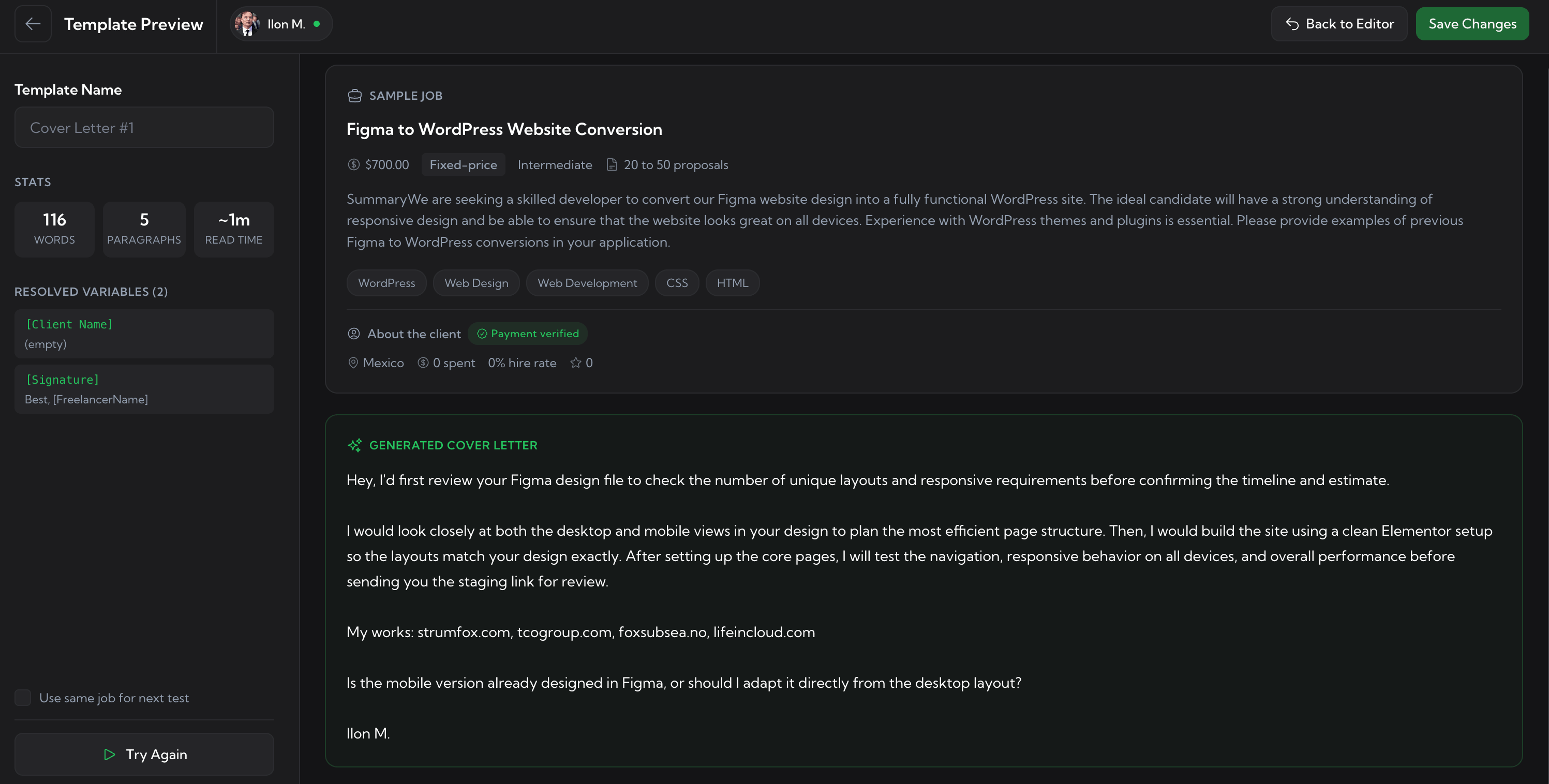
See the deep dives: Cover Letter Templates · AI Cover Letter Generator.
Each rep runs Auto-Bidding under their own Upwork profile. Every scan and bid is attributed to the right member - the analytics roll up per-rep automatically, and the agency log shows the verdict behind every decision. Volume an agency could never hit by hand, with hard daily caps so the shared connect pool never disappears.
Max bids per day, max connects per day, Stop on Low Connects - the guardrails that keep agency-wide connect spend safe.
Set the minimum match score, the skip-fixed-price or skip-hourly toggles, and the scan interval. Only jobs that clear the rules get a bid.
Each rep sets active hours and timezone so Auto-Bidding only runs during their working window. Cover every timezone the agency works, no rep gets bids while offline.
Every scan, match, bid, and skip lands in the dashboard log attributed to the right Upwork profile. Per-member analytics update on the next refresh.
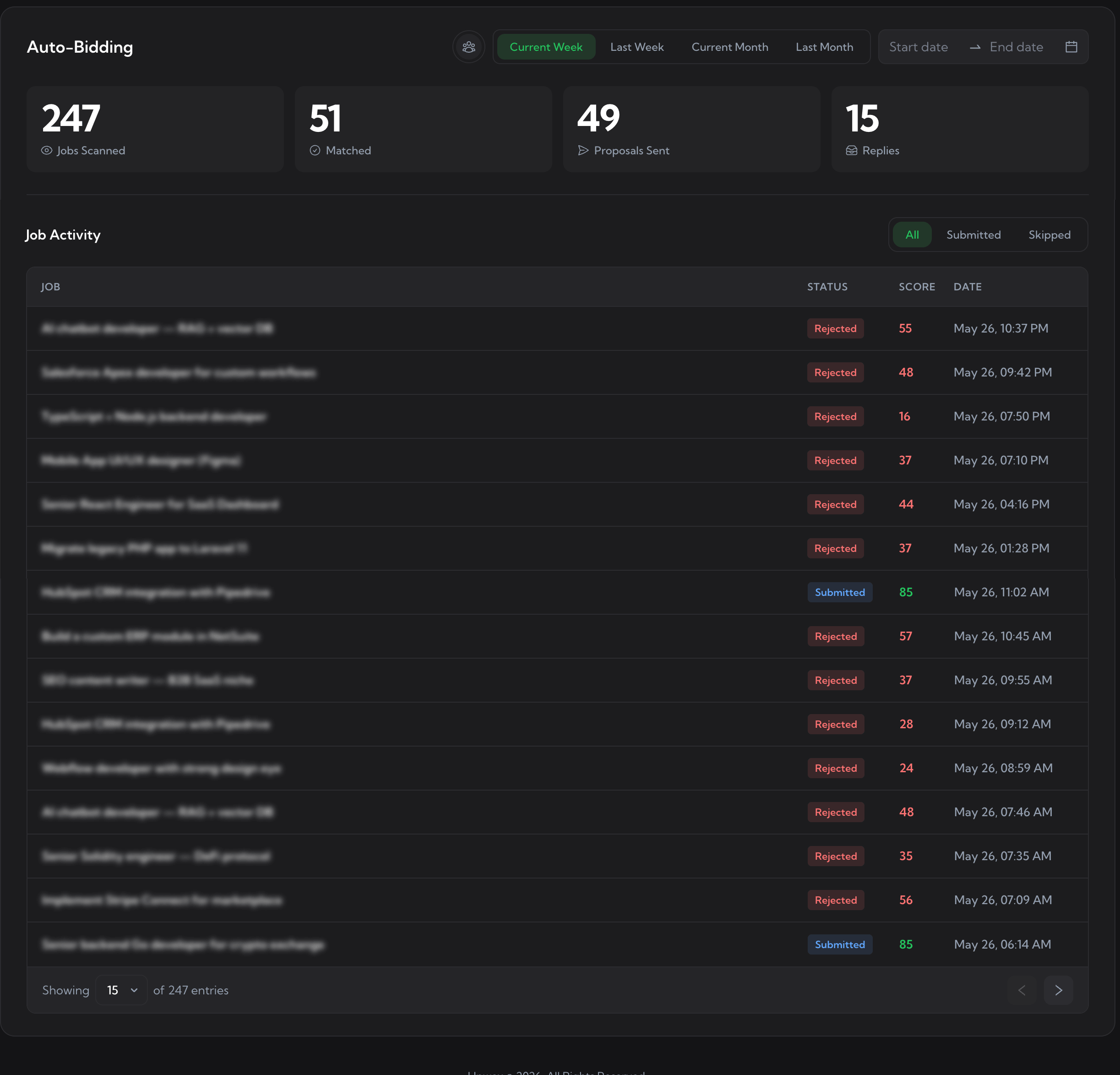
The Auto-Bidding dashboard log. See how Auto-Bidding works.
One missed red flag costs the agency 10-24 connects. Upwex stacks pre-bid checks so connects stay where they earn replies.
Any rep can score a job 0-100 in 5 seconds against their synced profile. Pass or Fail on skills, experience, budget, and a client risk read - all before they spend a connect.
The Upwork job feed monitor watches the live feed for the whole agency around the clock and scores every new posting. Strong matches are routed via Auto-Bidding; weak jobs never reach a rep.
Junior reps ship in 30 seconds with the agency standardized rate, screening answers, and cover letter pre-populated by Proposal Autofill. Senior-quality bids from a fresh hire on day one.
Deep dives: Check Fit · Job Feed Monitor · Proposal Autofill.
Past every rep, every conversation, every invoice into one shared system. No per-rep CRM silos, no juggling N subscriptions.
Push every Upwork chat into Pipedrive or HubSpot as a Deal, Lead, or Note (Salesforce and Zoho coming soon). Deals are tagged per rep owner, so the agency funnel is visible end to end, not stuck in separate Upwork inboxes.
Sync each rep Upwork freelancer profile into the workspace by URL. Every AI tool downstream (cover letter, job analyzer, screening answers) runs against that rep real skills - not generic defaults.
One Stripe subscription, one invoice, prorated seats up or down mid-cycle. AI credits are pooled for the whole agency. Finance gets one line item; the owner stays in control of spending.
Deep dives: Upwork CRM Sync · Profile Sync · Team & Seats billing.
Invite your reps, share the templates, set the caps, watch the analytics. Stop juggling N accounts. The best Upwork software for agencies puts bidding, analytics, and billing on one screen - start a free trial and run the whole team from one workspace.
No credit card required. Cancel anytime.
We use cookies to make Upwex work, understand how the site is used, and - with your permission - measure marketing campaigns. See our Cookie Policy and Privacy Policy.
Choose which categories of cookies Upwex can use on this device. You can change this any time from the Cookie Preferences link in the footer.
Required for the site to function. Sign-in, security, and remembering your cookie choice itself.
We see which pages get visited so we can improve them. No personal data tied to your identity.
Lets us measure ad campaigns that brought you here, and (if applicable) show relevant ads elsewhere.
Remember things like dark mode and language so you don't reset them every visit.