
A recap every Monday morning.
The weekly report covers the previous week and lands Monday morning: jobs viewed, proposals sent, replies, reply rate, and connects used, plus offers and DMs on the weeks you had them.
Upwork shows you almost nothing about your own performance. The Upwex analytics dashboard fills the gap: it tracks every job you viewed, every proposal you sent, every reply and offer, and every connect you spent - across all your Upwork profiles and your whole team. Manual bids and Auto-Bidding roll into the same numbers. See what is working, fix what is not, and get a recap in your inbox every week.
Free 20 AI credits No card
The dashboard opens with the metrics that matter: Jobs Viewed, Proposals Sent, Replies, and Reply Rate, each with a comparison against the previous period. Below sit the secondary stats - Invites, Offers, Direct Messages, Connects Used, Boost Connects, Avg Connects per Bid, and Cost per Reply - so you see not just how much you bid, but what it cost and what it returned.
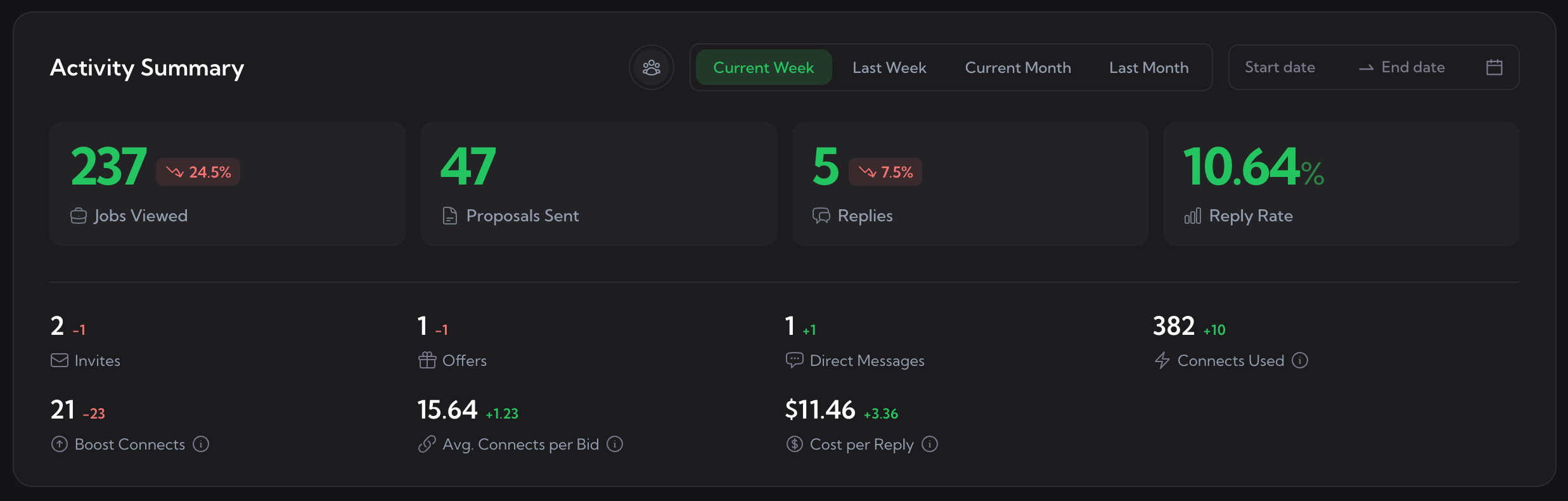
Activity Summary. Period tabs and a date range live at the top; every number carries a comparison against the previous period.
Run more than one Upwork profile, or a team? The Performance by Profile table breaks proposals, replies, reply rate, invites, DMs, offers, and connects down per person. Reply rate is colour-coded - green above 10%, yellow 5-10%, red below - so the strong and weak profiles are obvious at a glance. A totals row sums the whole operation.
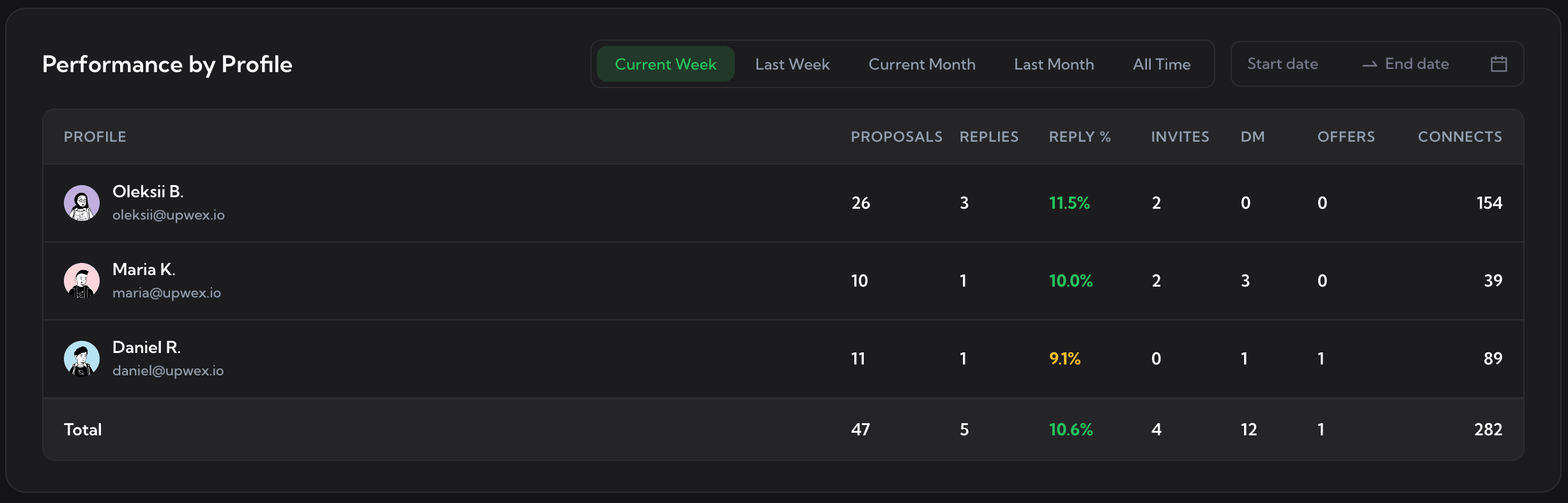
Performance by Profile. Reply rate is colour-coded per row; the totals row sums every profile.
The Proposals and Replies chart plots how many proposals you sent and how many came back as replies across your date range, with a reply-rate line over the top. A slow week and a broken week look different - this is how you tell them apart.
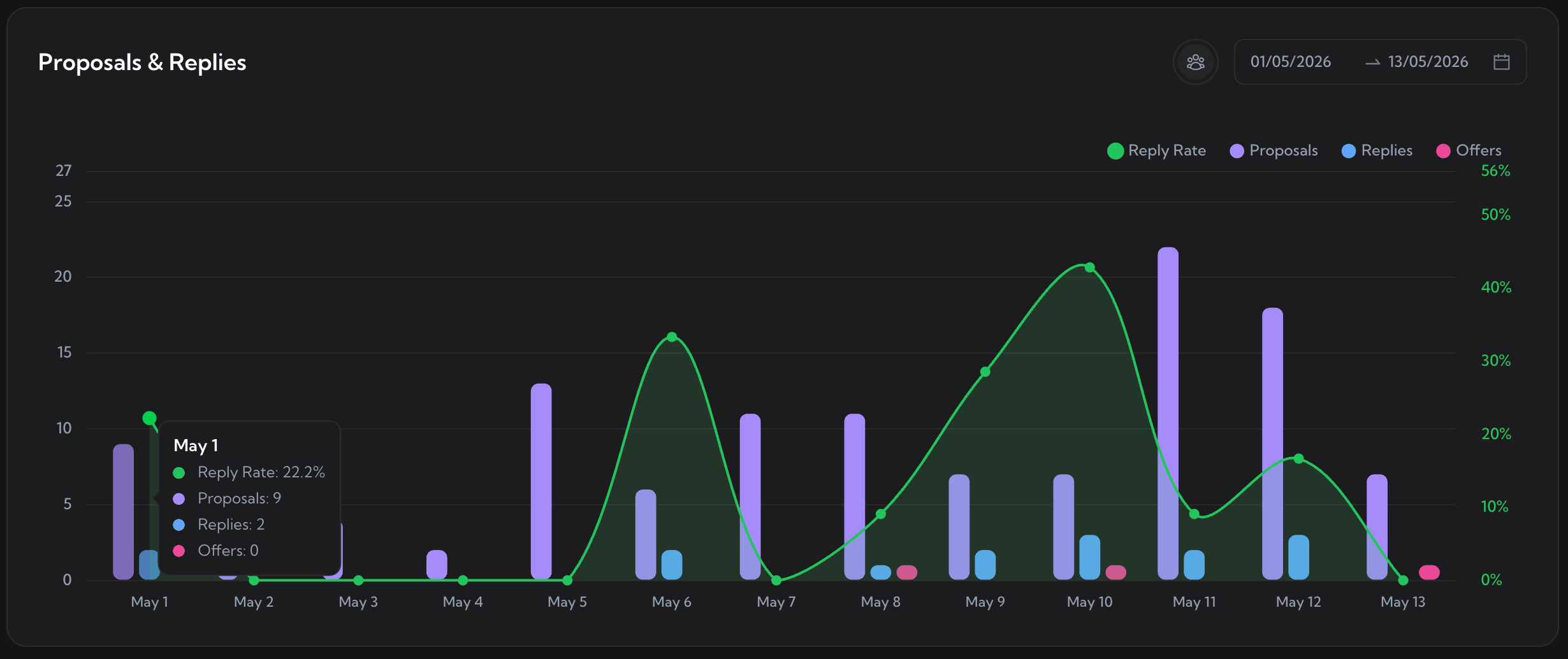
Proposals & Replies. Bars for proposals, replies, and offers; a reply-rate line on the second axis.
One panel, three lenses. Switch tabs to read your pipeline from a different angle - where the funnel leaks, how much work comes to you, and what every reply costs in connects.
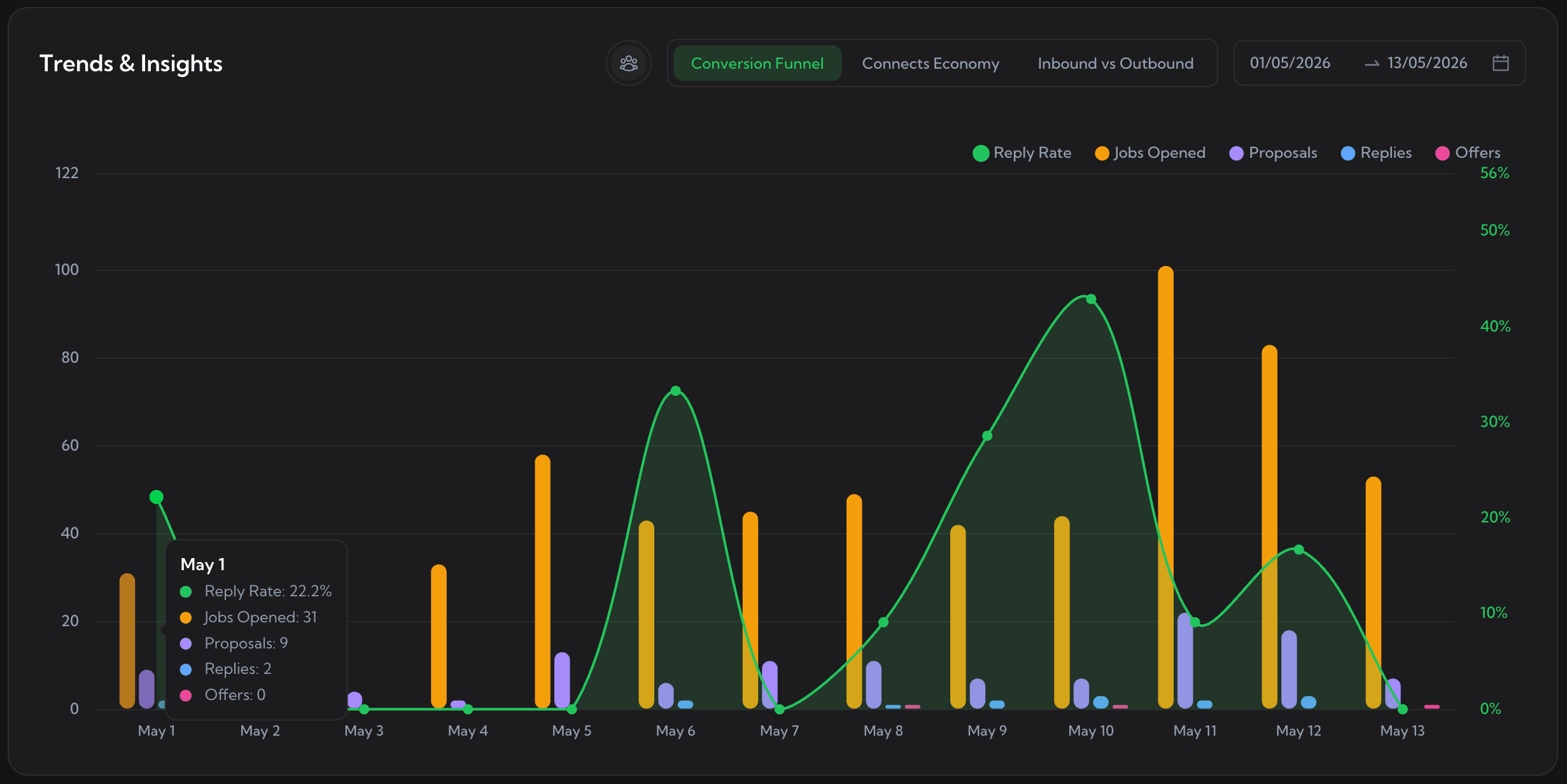
Conversion Funnel - jobs opened, proposals, replies, and offers with your reply-rate line, so you see where the funnel leaks.
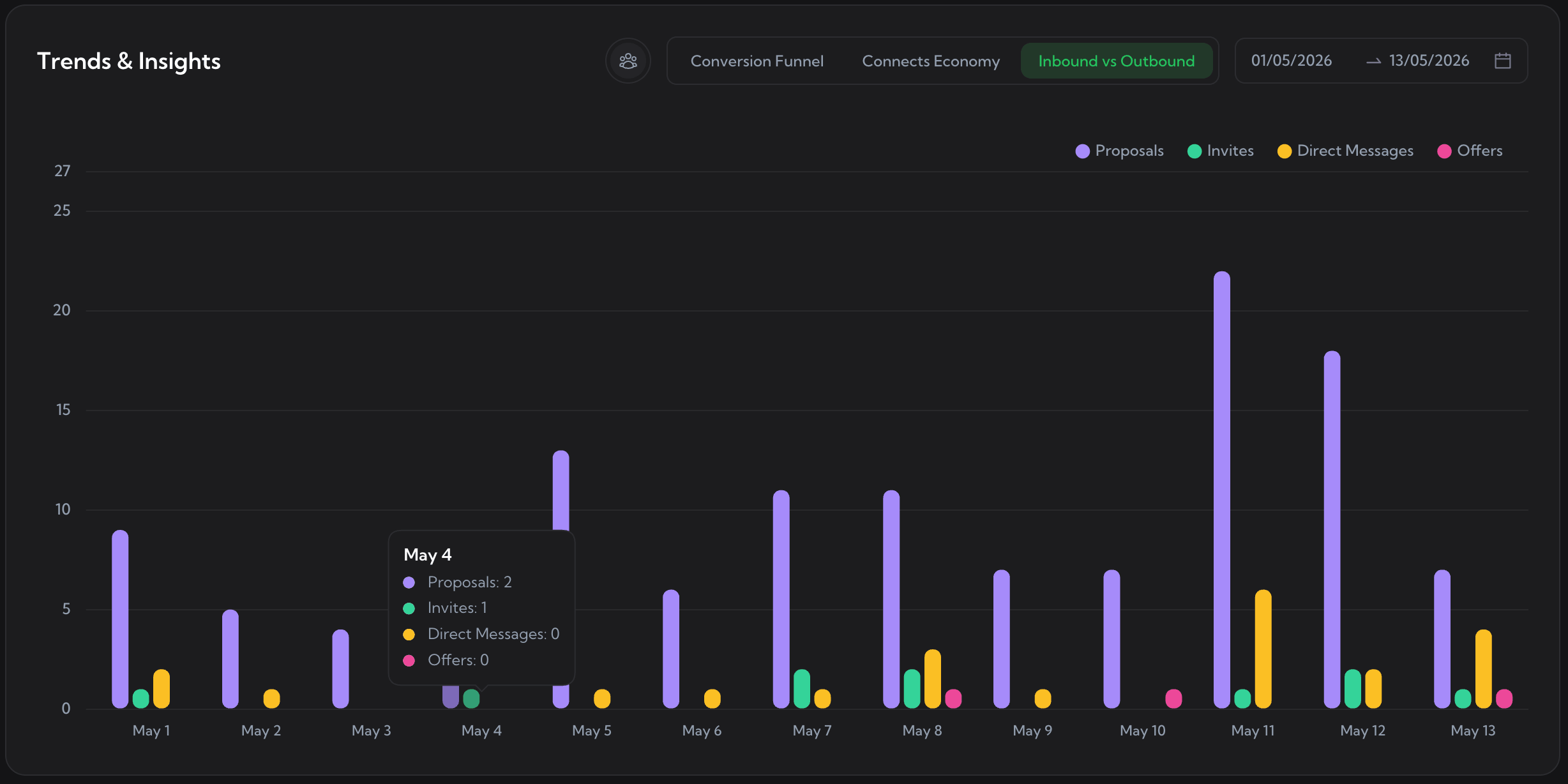
Inbound vs Outbound - proposals you sent against invites and direct messages you received, so you know how much work comes to you.
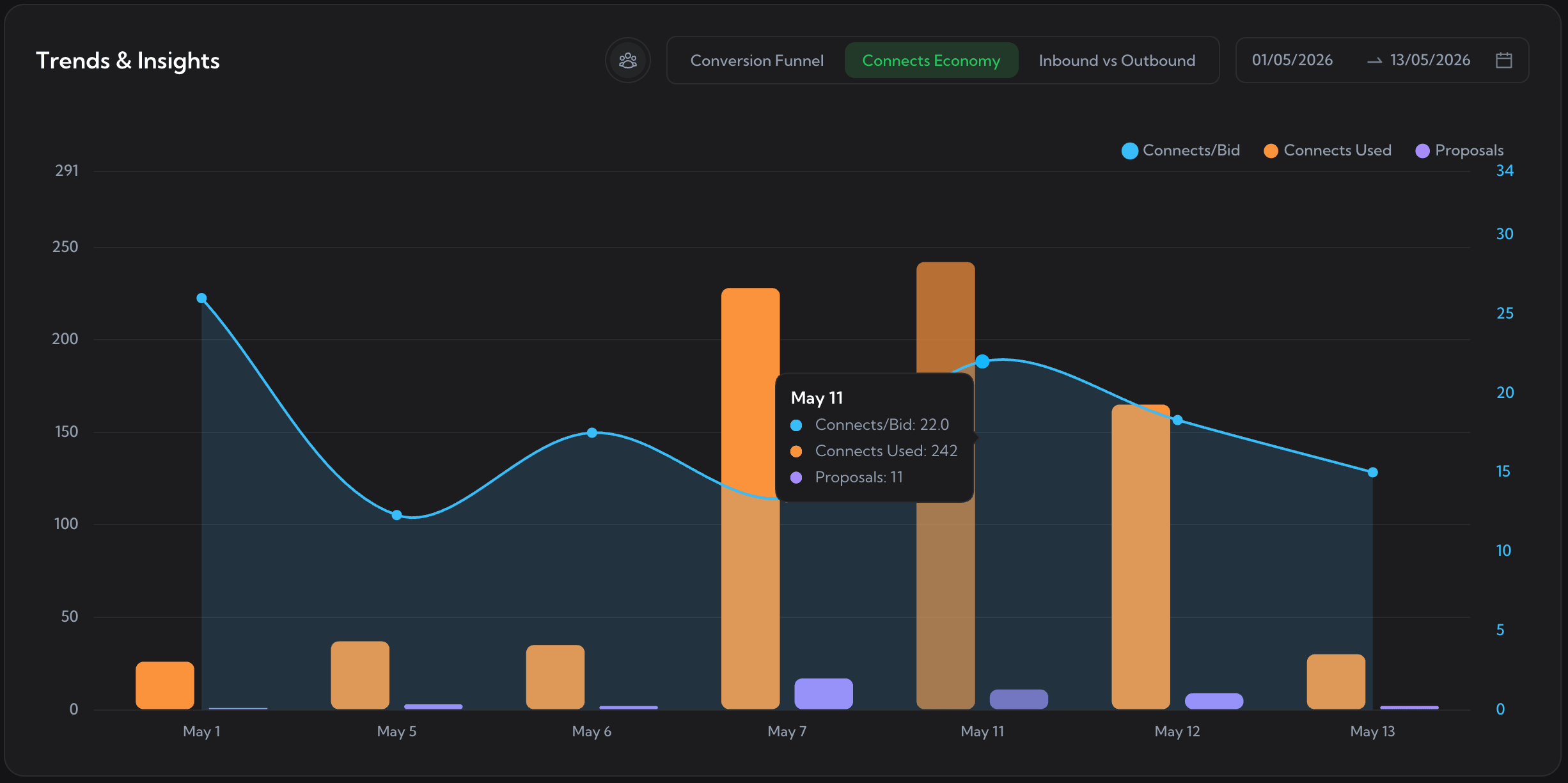
Connects Economy - connects used and connects per bid against proposals, so you see what each reply really costs.
The heatmap turns your whole year into one grid, every day shaded by how active you were. Hover any day for the breakdown: activity score, proposals, jobs opened, DMs. Spot your streaks, your gaps, and the weeks you went quiet.
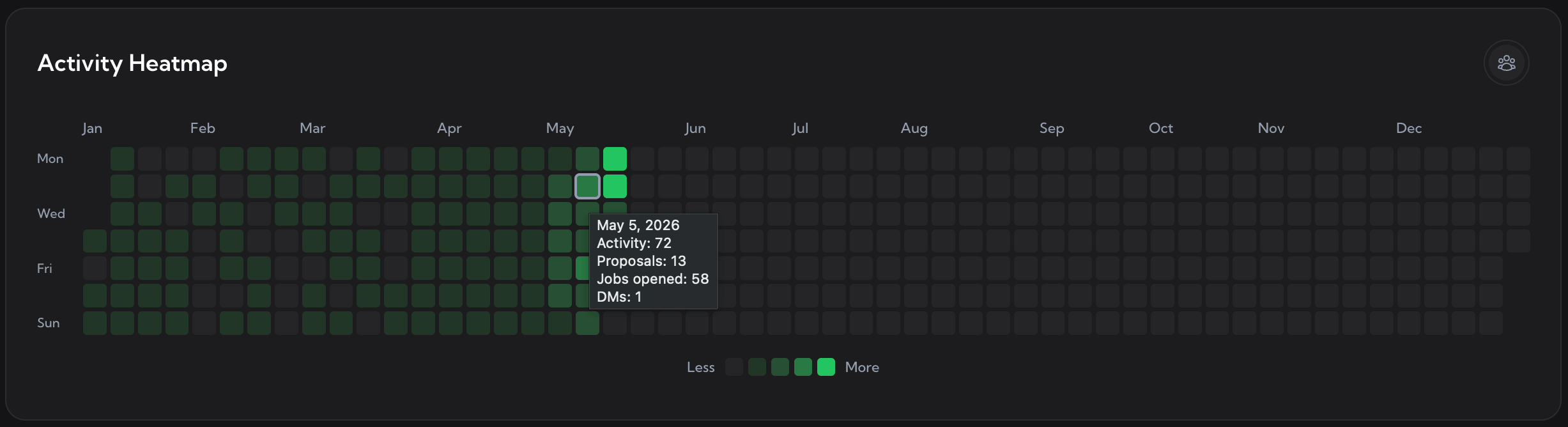
Activity Heatmap. A full calendar year of Upwork activity, with a per-day breakdown on hover.
You do not have to open the dashboard to stay on top of your pipeline. Upwex emails you a personalized recap - your jobs viewed, proposals, replies, reply rate, and connects - on a schedule. Same numbers as the dashboard, no logging in.
The weekly report covers the previous week and lands Monday morning: jobs viewed, proposals sent, replies, reply rate, and connects used, plus offers and DMs on the weeks you had them.
The monthly report covers the previous calendar month with the same metrics, so you can read the trend beyond a single week. Stop using Upwex and the reports stop on their own - no list to manage, nothing to unsubscribe from.
You cannot improve a reply rate you never see. Start a free trial, let Upwex track your activity, and watch the numbers tell you exactly what to fix.
No credit card required. Cancel anytime.
We use cookies to make Upwex work, understand how the site is used, and - with your permission - measure marketing campaigns. See our Cookie Policy and Privacy Policy.
Choose which categories of cookies Upwex can use on this device. You can change this any time from the Cookie Preferences link in the footer.
Required for the site to function. Sign-in, security, and remembering your cookie choice itself.
We see which pages get visited so we can improve them. No personal data tied to your identity.
Lets us measure ad campaigns that brought you here, and (if applicable) show relevant ads elsewhere.
Remember things like dark mode and language so you don't reset them every visit.